> ## Documentation Index
> Fetch the complete documentation index at: https://sambanova-systems.mintlify.site/docs/llms.txt
> Use this file to discover all available pages before exploring further.
# LibreChat integration guide
[LibreChat](https://www.librechat.ai/) is an open-source, self-hosted AI chat platform that unifies multiple model providers behind a single ChatGPT-style interface. It ships with built-in support for OpenAI-compatible APIs, so you can point it at SambaNova's `/v1` endpoint and use any SambaCloud model alongside OpenAI, Anthropic, Google, and other providers: no proxy required.
This guide shows how to connect LibreChat to SambaNova using the built-in **Custom Endpoints** feature.
## Prerequisites
* A [SambaCloud](https://cloud.sambanova.ai/?utm_source=librechat\&utm_medium=external\&utm_campaign=cloud_signup) account and [API key](https://cloud.sambanova.ai/apis?utm_source=librechat\&utm_medium=external\&utm_campaign=cloud_signup).
* A running LibreChat instance. Pick one of the installation methods below.
## Install LibreChat
LibreChat is a self-hosted web app, not a desktop installer: there is no `.exe`, `.dmg`, or AppImage to download. Pick one of the installation methods below to get started, then use it in your browser at `http://localhost:3080`. Docker and npm run it on your own machine on Windows, macOS, or Linux; the Helm chart deploys to a Kubernetes cluster instead.
### Docker Compose (recommended)
Everything runs in containers. MongoDB, MeiliSearch, RAG API, and Vector DB are all included automatically.
**Prerequisites:** Git, Docker Desktop
```bash theme={}
git clone https://github.com/danny-avila/LibreChat.git
cd LibreChat
cp .env.example .env
docker compose up -d
```
### npm
Run LibreChat directly with Node.js. You manage external services like MongoDB and MeiliSearch yourself.
**Prerequisites:** Node.js v24.16.0, Git, MongoDB
```bash theme={}
git clone https://github.com/danny-avila/LibreChat.git
cd LibreChat
cp .env.example .env # edit MONGO_URI
npm run reinstall
npm run backend
```
### Helm Chart
For Kubernetes deployments, follow the [LibreChat Helm chart guide](https://github.com/danny-avila/LibreChat/blob/main/helm/librechat/readme.md) directly. The chart requires generated values for `CREDS_KEY`, `CREDS_IV`, `JWT_SECRET`, `JWT_REFRESH_SECRET`, and `MEILI_MASTER_KEY`, plus your provider API keys, before the Secret can be created.
For full installation details, see the [LibreChat quickstart](https://www.librechat.ai/docs/quick_start).
## Setup
These steps assume the Docker Compose install. On the npm install, LibreChat reads `librechat.yaml` from the project root directly: skip the `docker-compose.override.yml` override in step 2, and apply changes by stopping and rerunning `npm run backend` instead of recreating the container.
LibreChat reads its endpoint configuration from `librechat.yaml` in the project root. The repo ships `librechat.example.yaml`; copy it to `librechat.yaml` before editing:
```bash theme={}
cp librechat.example.yaml librechat.yaml
```
Append a SambaNova entry under `endpoints.custom`. The base URL is `https://api.sambanova.ai/v1` and the API key is your SambaCloud key.
```yaml librechat.yaml theme={}
endpoints:
custom:
- name: 'SambaNova'
apiKey: '${SAMBANOVA_API_KEY}'
baseURL: 'https://api.sambanova.ai/v1'
models:
default:
- 'MiniMax-M3'
- 'MiniMax-M2.7'
- 'Meta-Llama-3.3-70B-Instruct'
- 'DeepSeek-V3.1'
- 'gpt-oss-120b'
fetch: true
titleConvo: true
titleModel: 'MiniMax-M3'
modelDisplayLabel: 'SambaNova'
```
Set `models.fetch: true` to pull the live model list from `/v1/models` on startup. New SambaCloud models appear in the picker without redeploying.
The official `docker-compose.yml` does not mount `librechat.yaml` into the API container. If you started from the Docker Compose template, create a `docker-compose.override.yml` next to it so the file is bind-mounted into the container:
```yaml docker-compose.override.yml theme={}
services:
api:
volumes:
- ./librechat.yaml:/app/librechat.yaml:ro
```
Without this override, the API logs `Config file YAML format is invalid: ENOENT` on startup and the SambaNova endpoint is never registered.
Add the key to your `.env` file (or the environment passed to the LibreChat API container):
```bash .env theme={}
SAMBANOVA_API_KEY=your-sambanova-api-key
```
LibreChat resolves `${SAMBANOVA_API_KEY}` at startup. The next step applies both this key and the config change.
The override adds a new bind mount, and `docker compose restart` does not re-read your Compose configuration. Recreate the container so the mount takes effect:
```bash theme={}
docker compose up -d
```
Open `http://localhost:3080`. LibreChat enables registration by default, so the first visit shows a login screen. Click **Sign up** and create an account.
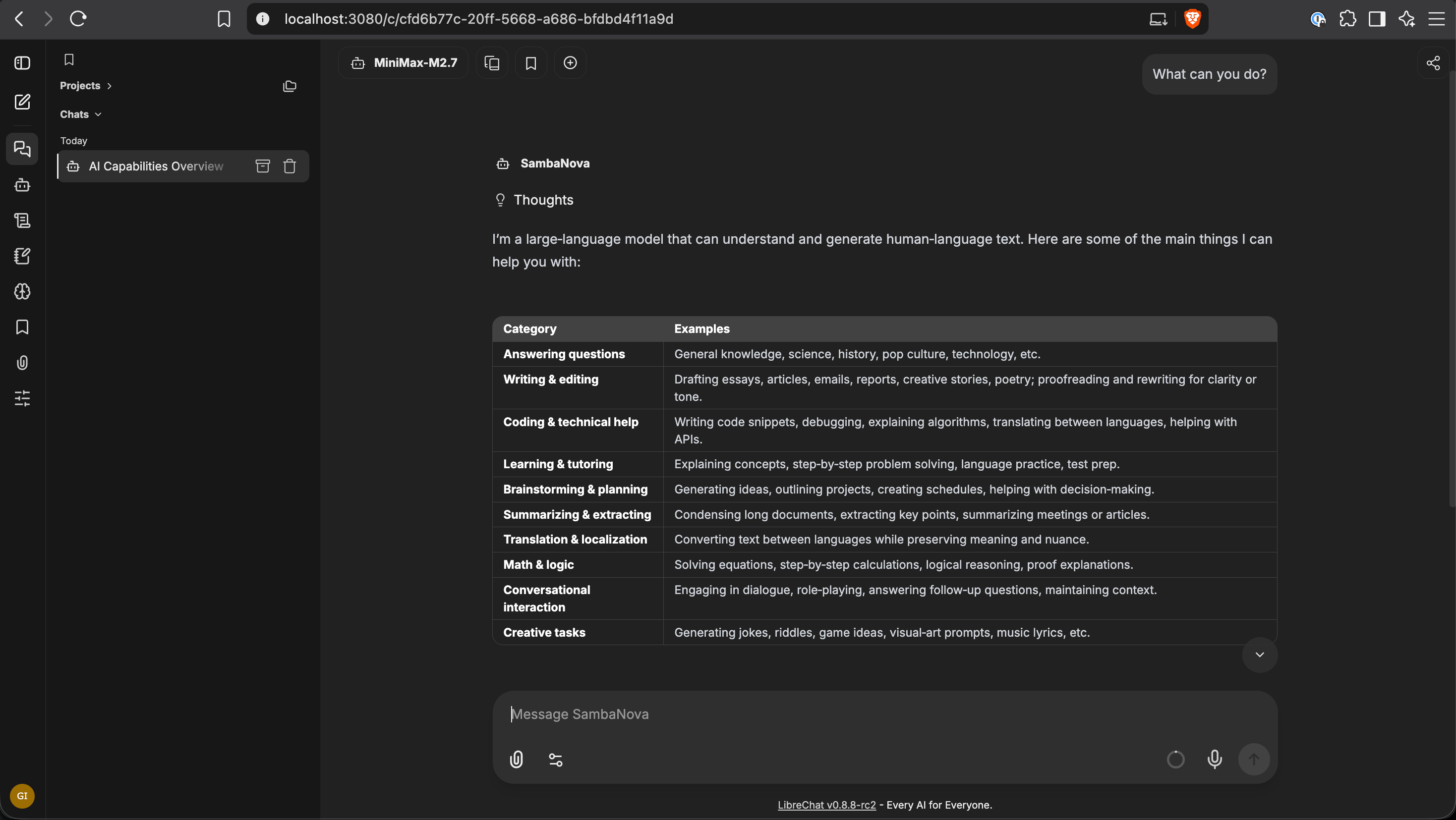
Open the model picker and confirm the SambaNova models appear under the **SambaNova** group. Start a new chat, pick a model, and send a test prompt.
 ## Troubleshooting
Verify `SAMBANOVA_API_KEY` is set in the environment passed to the API container, then run `docker compose up -d`. A plain `docker compose restart` will not pick up a newly added bind mount. Check container logs with `docker compose logs api` for config-load errors.
Regenerate your API key in the [SambaCloud console](https://cloud.sambanova.ai/apis?utm_source=librechat\&utm_medium=external\&utm_campaign=cloud_signup) and update `SAMBANOVA_API_KEY` in `.env`.
Add `customParams.includeReasoningHistory: true` to the endpoint block and restart. This flag implies `includeReasoningContent` and also reconstructs `reasoning_content` from persisted history across turns.
## Additional resources
* [LibreChat documentation](https://www.librechat.ai/docs)
* [LibreChat Custom Endpoints guide](https://www.librechat.ai/docs/quick_start/custom_endpoints)
* [SambaCloud API reference](/docs/en/api-reference/overview)
* [Supported SambaCloud models](/docs/en/models/sambacloud-models)
* [SambaNova support](https://sambanova.ai/support)
## Troubleshooting
Verify `SAMBANOVA_API_KEY` is set in the environment passed to the API container, then run `docker compose up -d`. A plain `docker compose restart` will not pick up a newly added bind mount. Check container logs with `docker compose logs api` for config-load errors.
Regenerate your API key in the [SambaCloud console](https://cloud.sambanova.ai/apis?utm_source=librechat\&utm_medium=external\&utm_campaign=cloud_signup) and update `SAMBANOVA_API_KEY` in `.env`.
Add `customParams.includeReasoningHistory: true` to the endpoint block and restart. This flag implies `includeReasoningContent` and also reconstructs `reasoning_content` from persisted history across turns.
## Additional resources
* [LibreChat documentation](https://www.librechat.ai/docs)
* [LibreChat Custom Endpoints guide](https://www.librechat.ai/docs/quick_start/custom_endpoints)
* [SambaCloud API reference](/docs/en/api-reference/overview)
* [Supported SambaCloud models](/docs/en/models/sambacloud-models)
* [SambaNova support](https://sambanova.ai/support)