> ## Documentation Index
> Fetch the complete documentation index at: https://sambanova-systems.mintlify.site/docs/llms.txt
> Use this file to discover all available pages before exploring further.
# OpenRouter BYOK integration guide
[OpenRouter](https://openrouter.ai/) supports both OpenRouter credits and Bring Your Own Key (BYOK). When using OpenRouter credits, rate limits for SambaNova are managed by OpenRouter. When using your own SambaNova API key, you retain direct control over rate limits and billing through your SambaNova account. All provider keys are securely encrypted and used exclusively for requests routed to SambaNova.
## Prerequisites
Before starting, ensure you have:
* A [SambaCloud](https://cloud.sambanova.ai/?utm_source=openrouter\&utm_medium=external\&utm_campaign=cloud_signup) account and API key
* An [OpenRouter](https://openrouter.ai/) account
## Setup
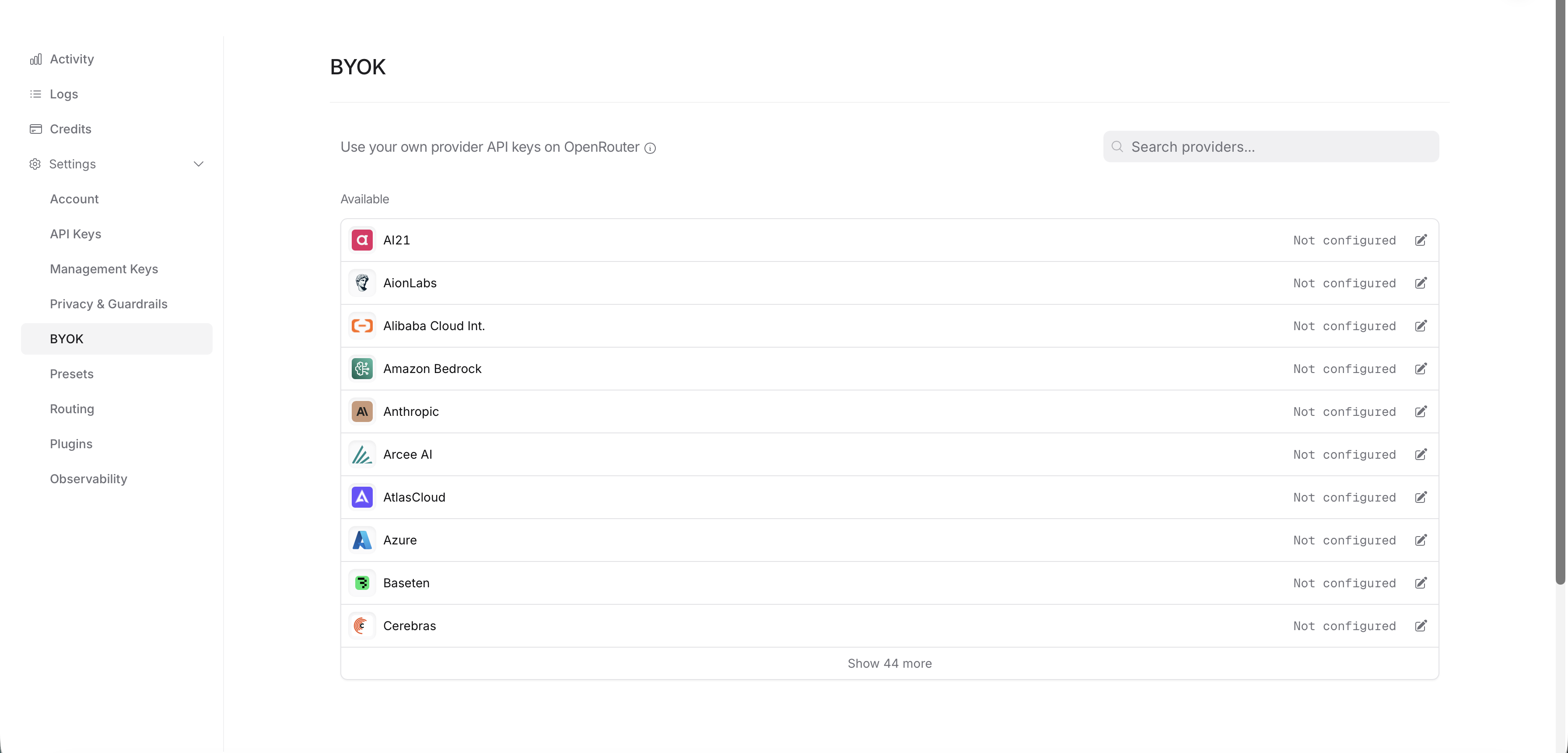
Go to your OpenRouter settings and click on **BYOK**.
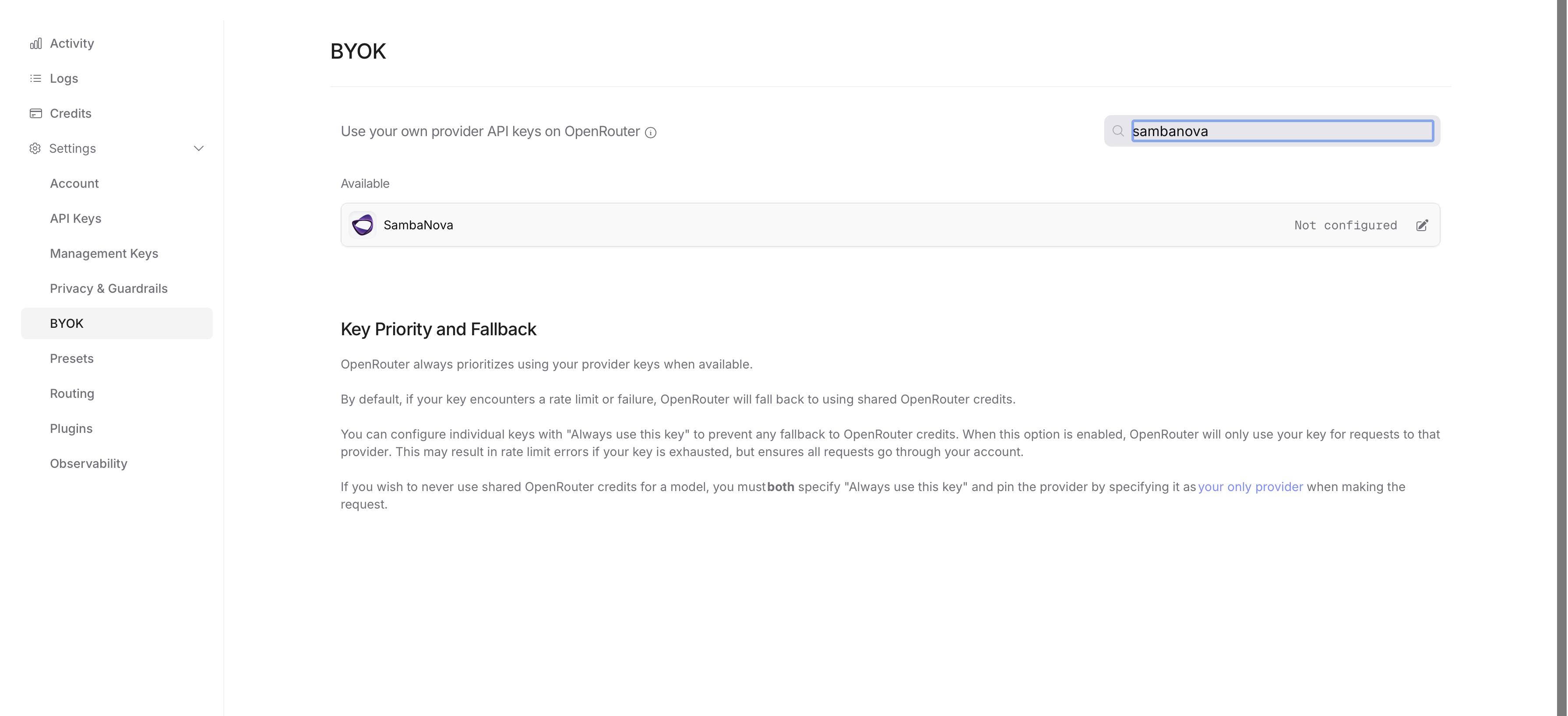
 Search for SambaNova in the provider list and select it.
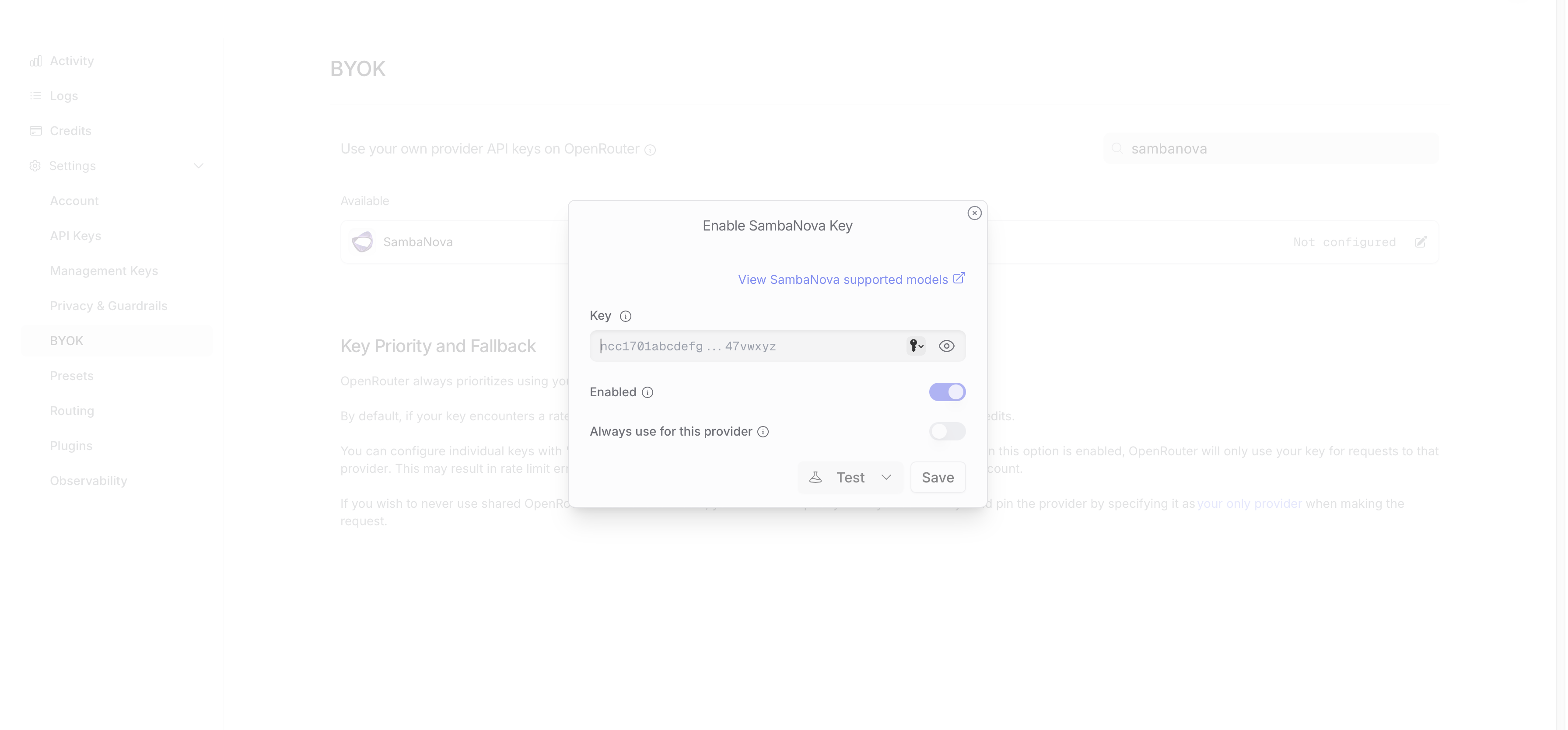
 Enter your SambaCloud API key and save.
Get your API key from the [SambaCloud portal](https://cloud.sambanova.ai/apis).
Enter your SambaCloud API key and save.
Get your API key from the [SambaCloud portal](https://cloud.sambanova.ai/apis).
 ## Using the Python SDK
Now you can use the OpenRouter Python SDK as you normally would. API requests are automatically routed using the keys you provided in your settings.
```python theme={null}
from openrouter import OpenRouter
import os
with OpenRouter(
api_key=os.getenv("OPENROUTER_API_KEY")
) as client:
response = client.chat.send(
model="sambanova/Meta-Llama-3.3-70B-Instruct",
messages=[
{"role": "user", "content": "Explain quantum computing"}
]
)
```
When you use BYOK (Bring Your Own Key) on OpenRouter:
* You pay the model provider directly using your own API key.
* OpenRouter charges a 5% platform fee based on the model's standard OpenRouter pricing.
* The fee is deducted from your OpenRouter credits, not your provider account.
* The first 1 million BYOK requests per month are free (no 5% fee).
## Additional resources
* [OpenRouter BYOK documentation](https://openrouter.ai/docs/guides/overview/auth/byok)
## Using the Python SDK
Now you can use the OpenRouter Python SDK as you normally would. API requests are automatically routed using the keys you provided in your settings.
```python theme={null}
from openrouter import OpenRouter
import os
with OpenRouter(
api_key=os.getenv("OPENROUTER_API_KEY")
) as client:
response = client.chat.send(
model="sambanova/Meta-Llama-3.3-70B-Instruct",
messages=[
{"role": "user", "content": "Explain quantum computing"}
]
)
```
When you use BYOK (Bring Your Own Key) on OpenRouter:
* You pay the model provider directly using your own API key.
* OpenRouter charges a 5% platform fee based on the model's standard OpenRouter pricing.
* The fee is deducted from your OpenRouter credits, not your provider account.
* The first 1 million BYOK requests per month are free (no 5% fee).
## Additional resources
* [OpenRouter BYOK documentation](https://openrouter.ai/docs/guides/overview/auth/byok)