> ## Documentation Index
> Fetch the complete documentation index at: https://sambanova-systems.mintlify.site/docs/llms.txt
> Use this file to discover all available pages before exploring further.
# Pi integration guide
[Pi](https://pi.dev/docs/latest) is a lightweight, terminal-based coding harness. It keeps its core intentionally minimal while allowing users to extend it with TypeScript extensions, skills, prompt templates, themes, and Pi packages. Follow the steps below to connect Pi with a model hosted on SambaCloud.
## Prerequisites
Before you begin, ensure you have:
* A [SambaCloud](https://cloud.sambanova.ai/?utm_source=pi\&utm_medium=external\&utm_campaign=cloud_signup) account and [API key](https://cloud.sambanova.ai/apis?utm_source=pi\&utm_medium=external\&utm_campaign=cloud_signup)
* Node.js and npm
* A POSIX shell on macOS, Linux, or WSL
## Setup
Install Pi globally with npm:
```bash theme={}
npm install -g --ignore-scripts @earendil-works/pi-coding-agent
```
Verify that Pi is installed:
```bash theme={}
pi --version
```
Create the Pi agent configuration directory if it doesn't exist yet:
```bash theme={}
mkdir -p ~/.pi/agent
```
Create `~/.pi/agent/models.json` with the SambaNova provider configuration:
```json theme={}
{
"providers": {
"sambanova": {
"baseUrl": "https://api.sambanova.ai/v1",
"api": "openai-completions",
"models": [
{ "id": "MiniMax-M2.7" },
{ "id": "DeepSeek-V3.1" },
{ "id": "Meta-Llama-3.3-70B-Instruct" },
{ "id": "gpt-oss-120b" },
{ "id": "DeepSeek-V3.2" },
{ "id": "gemma-4-31B-it" }
]
}
}
}
```
Create `~/.pi/agent/auth.json` with your SambaNova API key:
```json theme={}
{
"sambanova": {
"type": "api_key",
"key": "your-sambanova-api-key"
}
}
```
Replace `your-sambanova-api-key` with the key from your [SambaCloud portal](https://cloud.sambanova.ai/apis).
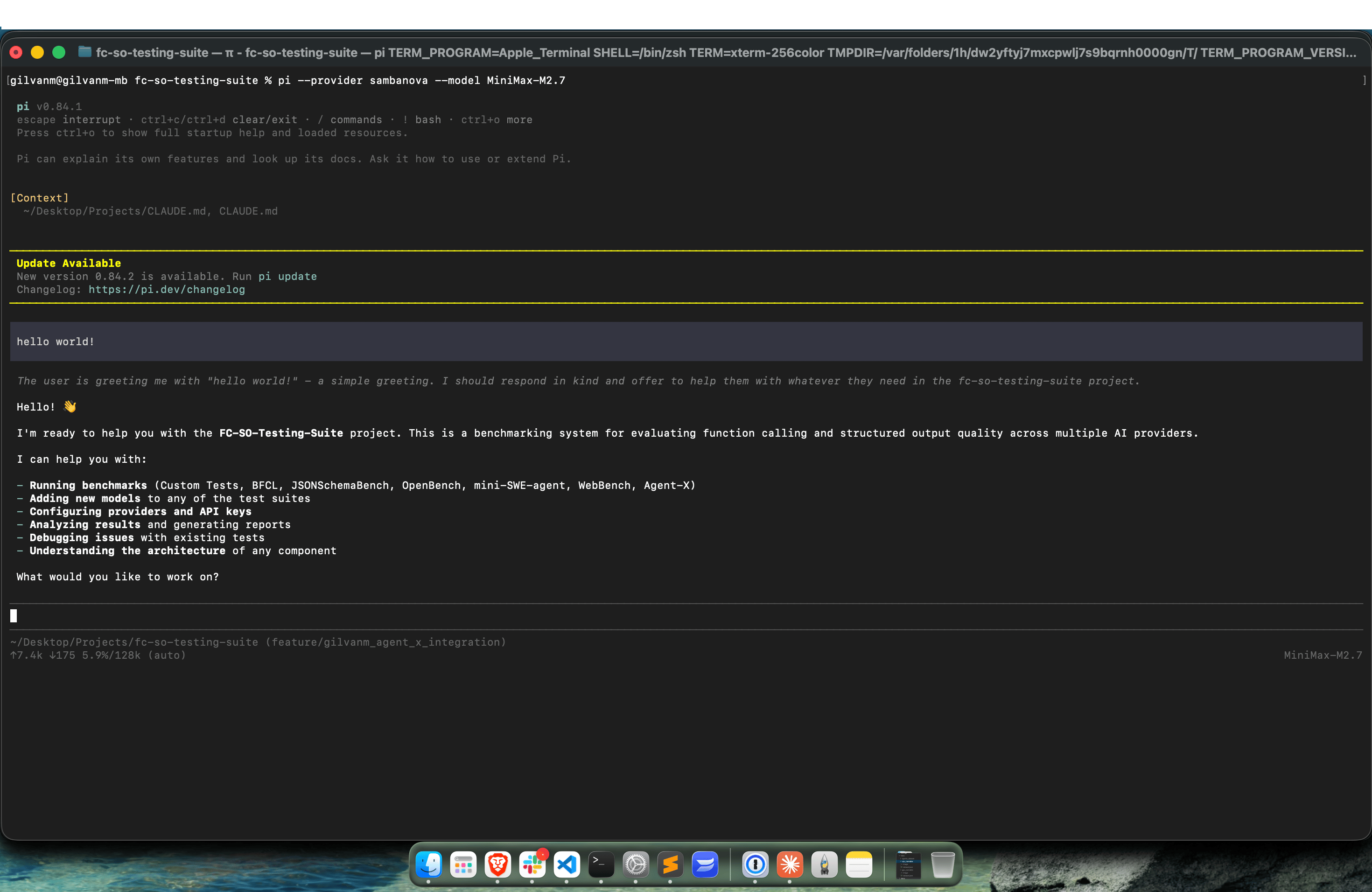
Run Pi with your configured SambaNova provider and model:
```bash theme={}
pi --provider sambanova --model MiniMax-M2.7
```
You can use any model configured in `~/.pi/agent/models.json`, for example:
```bash theme={}
pi --provider sambanova --model gpt-oss-120b
```
```bash theme={}
pi --provider sambanova --model Meta-Llama-3.3-70B-Instruct
```
 ## Available models
The SambaNova provider configuration above includes the following models:
```text theme={}
MiniMax-M2.7
DeepSeek-V3.1
Meta-Llama-3.3-70B-Instruct
gpt-oss-120b
DeepSeek-V3.2
gemma-4-31B-it
```
To use a different model, add its model ID to the `models` array in `~/.pi/agent/models.json`, then run Pi with that model:
```bash theme={}
pi --provider sambanova --model
```
## Troubleshooting
If `pi` isn't found after installation, verify that the npm global installation directory is on your `PATH`:
```bash theme={}
npm prefix -g
```
Then verify the installation:
```bash theme={}
pi --version
```
If `~/.pi/agent/models.json` doesn't exist, create the configuration directory first:
```bash theme={}
mkdir -p ~/.pi/agent
```
If the SambaNova API key isn't being recognized, verify that `~/.pi/agent/auth.json` exists and contains the correct provider name and API key:
```bash theme={}
cat ~/.pi/agent/auth.json
```
Make sure the provider is named exactly `sambanova`:
```json theme={}
{
"sambanova": {
"type": "api_key",
"key": "your-sambanova-api-key"
}
}
```
If requests fail because the configured model isn't available, verify that the model ID is listed in `~/.pi/agent/models.json` and matches the model ID passed to Pi:
```bash theme={}
pi --provider sambanova --model
```
## Additional resources
* [Pi documentation](https://pi.dev/docs/latest)
* [GitHub repository](https://github.com/earendil-works/pi)
* [Supported SambaCloud models](/docs/en/models/sambacloud-models)
## Available models
The SambaNova provider configuration above includes the following models:
```text theme={}
MiniMax-M2.7
DeepSeek-V3.1
Meta-Llama-3.3-70B-Instruct
gpt-oss-120b
DeepSeek-V3.2
gemma-4-31B-it
```
To use a different model, add its model ID to the `models` array in `~/.pi/agent/models.json`, then run Pi with that model:
```bash theme={}
pi --provider sambanova --model
```
## Troubleshooting
If `pi` isn't found after installation, verify that the npm global installation directory is on your `PATH`:
```bash theme={}
npm prefix -g
```
Then verify the installation:
```bash theme={}
pi --version
```
If `~/.pi/agent/models.json` doesn't exist, create the configuration directory first:
```bash theme={}
mkdir -p ~/.pi/agent
```
If the SambaNova API key isn't being recognized, verify that `~/.pi/agent/auth.json` exists and contains the correct provider name and API key:
```bash theme={}
cat ~/.pi/agent/auth.json
```
Make sure the provider is named exactly `sambanova`:
```json theme={}
{
"sambanova": {
"type": "api_key",
"key": "your-sambanova-api-key"
}
}
```
If requests fail because the configured model isn't available, verify that the model ID is listed in `~/.pi/agent/models.json` and matches the model ID passed to Pi:
```bash theme={}
pi --provider sambanova --model
```
## Additional resources
* [Pi documentation](https://pi.dev/docs/latest)
* [GitHub repository](https://github.com/earendil-works/pi)
* [Supported SambaCloud models](/docs/en/models/sambacloud-models)