

Prerequisites

Setup

1

Configure Kubeconfig Credentials

To interact with the cluster, you need valid kubeconfig credentials. SambaNova will provide both the kubeconfig file and the base64-encoded password.
  1. Save the provided kubeconfig file securely (e.g.~/.sambastack/kubeconfig.yaml)
  2. Decode the base64-encoded password and save it to a YAML file.
    echo <PASSWORD> | base64 -d > <credentials-file-name>.yaml
    
    Store both the password and kubeconfig file securely and do not share them with unauthorized users; the password is required to access cluster nodes.
  3. Set the kubeconfig variable:
    export KUBECONFIG=~/path/to/<credentials-file-name>.yaml
    
  4. Your credentials file should resemble this example.
2

Configure and install `sambastack.yaml`

  1. Configure a minimum viable sambastack.yaml file:
    apiVersion: v1
    kind: ConfigMap
    metadata:
      annotations:
        serial: "1"
      name: sambastack
      labels:
        sambastack-installer: "true"
    data:
      sambastack.yaml: |
        version: <NEW_VERSION>
        bundles:
          bundleSpecs:
          - name: gpt-oss-120b-8-32-64-128k      
          bundleDeploymentSpecs:
          - name: gpt-oss-120b-8-32-64-128k
            groups:
            - name: "default"
              minReplicas: 1
              qosList:
              - "web"
              - "free"
        db-admin:
          admins:
            - abc@example.com
    
    See the SambaStack.yaml Reference for a full example.
    Update the version field to match the version provided by your SambaNova representative.
  2. Apply the file
    kubectl apply -f <path-to-sambastack.yaml>
    
    If successful, you will see
    configmap/sambastack configured
    
  3. Verify success by running the following commands and observing expected outputs:

    Check installer logs and retrieve UI/API domain names with:
    kubectl -n sambastack-installer logs -l sambanova.ai/app=sambastack-installer -f
    
    expected response:
    NAME: sambastack
    LAST DEPLOYED: Thu Sep 11 10:18:54 2025
    NAMESPACE: default
    STATUS: deployed
    REVISION: 7
    TEST SUITE: None
    [INFO] (helm_upgrade_install) Upgraded/installed sambastack release
    [INFO] (configure_default_ingress) UI Domain: ui-domain-example.sambanova.ai
    [INFO] (configure_default_ingress) API Domain: api-domain-example.sambanova.ai
    

    Verify cluster pods are running:
    kubectl get pods
    
    expected response:
    NAME                                                     READY   STATUS      RESTARTS       AGE
    alertmanager-sambastack-kube-prometheus-alertmanager-0   2/2     Running     0               1d
    alertmanager-sambastack-kube-prometheus-alertmanager-1   2/2     Running     0               1d
    auth-and-billing-6c75dd9459-pdfd4                        1/1     Running     0               1d
    auth-and-billing-6c75dd9459-vpfrz                        1/1     Running     0               1d
    cloud-ui-7646779bcb-mq295                                1/1     Running     0               1d
    db-admin-59c6dc4958-rctmc                                2/2     Running     0               1d
    gateway-95956579b-4gqsl                                  4/4     Running     0               1d
    gateway-95956579b-bjltl                                  4/4     Running     0               1d
    inf-gpt-oss-120b-8-32-64-128k-cache-0                    1/1     Running     0               1d
    inf-gpt-oss-120b-8-32-64-128k-q-default-n-0              2/2     Running     1 (71d ago)     1d
    inf-operator-0                                           1/1     Running     0               1d
    inference-router-6f965555d8-wqf7t                        1/1     Running     0               1d
    keycloak-0                                               1/1     Running     0               1d
    keycloak-operator-8dc4bc4d9-gj2m9                        1/1     Running     5 (109d ago)    1d
    opensearch-cluster-master-0                              1/1     Running     0               1d
    opensearch-index-mgmt-job-skzw9                          0/1     Completed   0               1d
    prometheus-sambastack-kube-prometheus-prometheus-0       2/2     Running     2 (109d ago)    1d
    prometheus-sambastack-kube-prometheus-prometheus-1       2/2     Running     2 (109d ago)    1d
    sambastack-cloudnative-pg-5bfd776f85-lwb74               1/1     Running     7 (25d ago)     1d
    sambastack-fluent-bit-8vf55                              1/1     Running     0               1d
    sambastack-global-queue-redis-master-0                   2/2     Running     0               1d
    sambastack-grafana-7b6b8c899b-8r6gc                      3/3     Running     0               1d
    sambastack-kube-prometheus-operator-65dddbc87f-2k84c     1/1     Running     0               1d
    sambastack-kube-state-metrics-6fffcb5987-v6pfx           1/1     Running     0               1d
    sambastack-localpv-provisioner-64f9fd84cd-h72zc          1/1     Running     7 (25d ago)     1d
    sambastack-opensearch-dashboards-787695c54d-zgr4p        1/1     Running     0               1d
    sambastack-postgres-1                                    1/1     Running     0               1d
    sambastack-postgres-2                                    1/1     Running     0               1d
    sambastack-postgres-3                                    1/1     Running     0               1d
    sambastack-prometheus-node-exporter-fwzr6                1/1     Running     0               1d
    sambastack-response-queue-redis-master-0                 2/2     Running     0               1d
    sn-legacy-exporter-mlqg5                                 2/2     Running     0               1d
    
    It usually takes about 5-10 minutes for all the pods to reach their desired Running state.
    See the Pods reference table for more details.
3

Authentication Setup and User Management

For hosted SambaStack, SambaNova provides a default Keycloak instance for authentication. If you would like to set up a custom OIDC configuration, please refer to the Authentication Page.

Key considerations and common issues

  • Email is required: Users without an email cannot log in.
  • Unique usernames: Duplicate usernames are disallowed; keep username and email aligned.
  • Permanent passwords: Initial passwords should not be temporary unless a user reset is desired.
  • Browser tip: Use Chrome for Keycloak admin UI when port-forwarding to avoid session cookie issues.
  1. Retrieve admin credentials:
    kubectl get secret keycloak-initial-admin -o go-template='username: {{.data.username | base64decode}} password: {{.data.password | base64decode}}'
    
    expected output:
    username: admin  
    password: <random-password>
    
  2. Port-forward Keycloak service
    kubectl port-forward svc/keycloak-service 8080
    
  3. Visit http://localhost:8080 and log in using retrieved credentials.
  4. Manage users by following the Keycloak Server Administration Guide.
4

Log into SambaStack UI and Create API Key

  1. Obtain the UI domain from the installer logs (see Step 2.3) Installguide 1
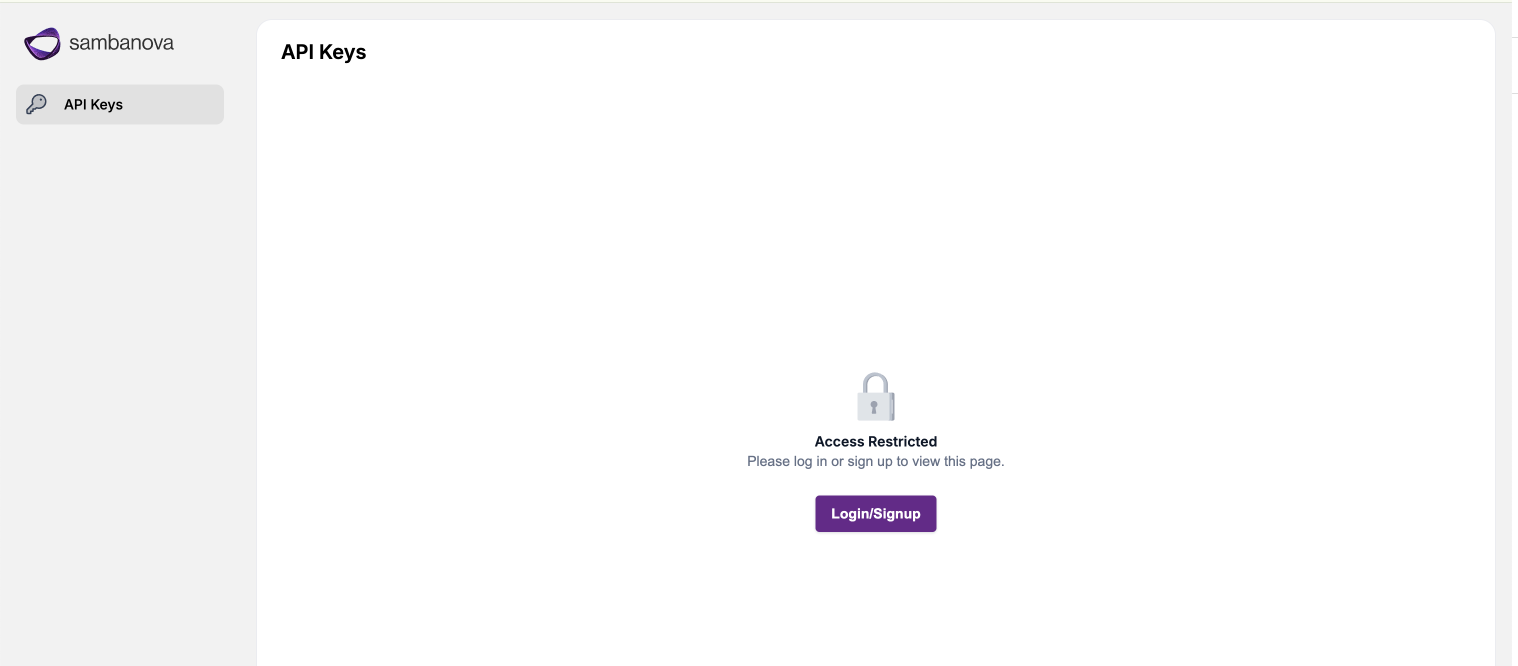
    Access the UI domain using Google Chrome to avoid compatibility issues.
  2. Log in using your credentials via the authentication flow. Installguide 2
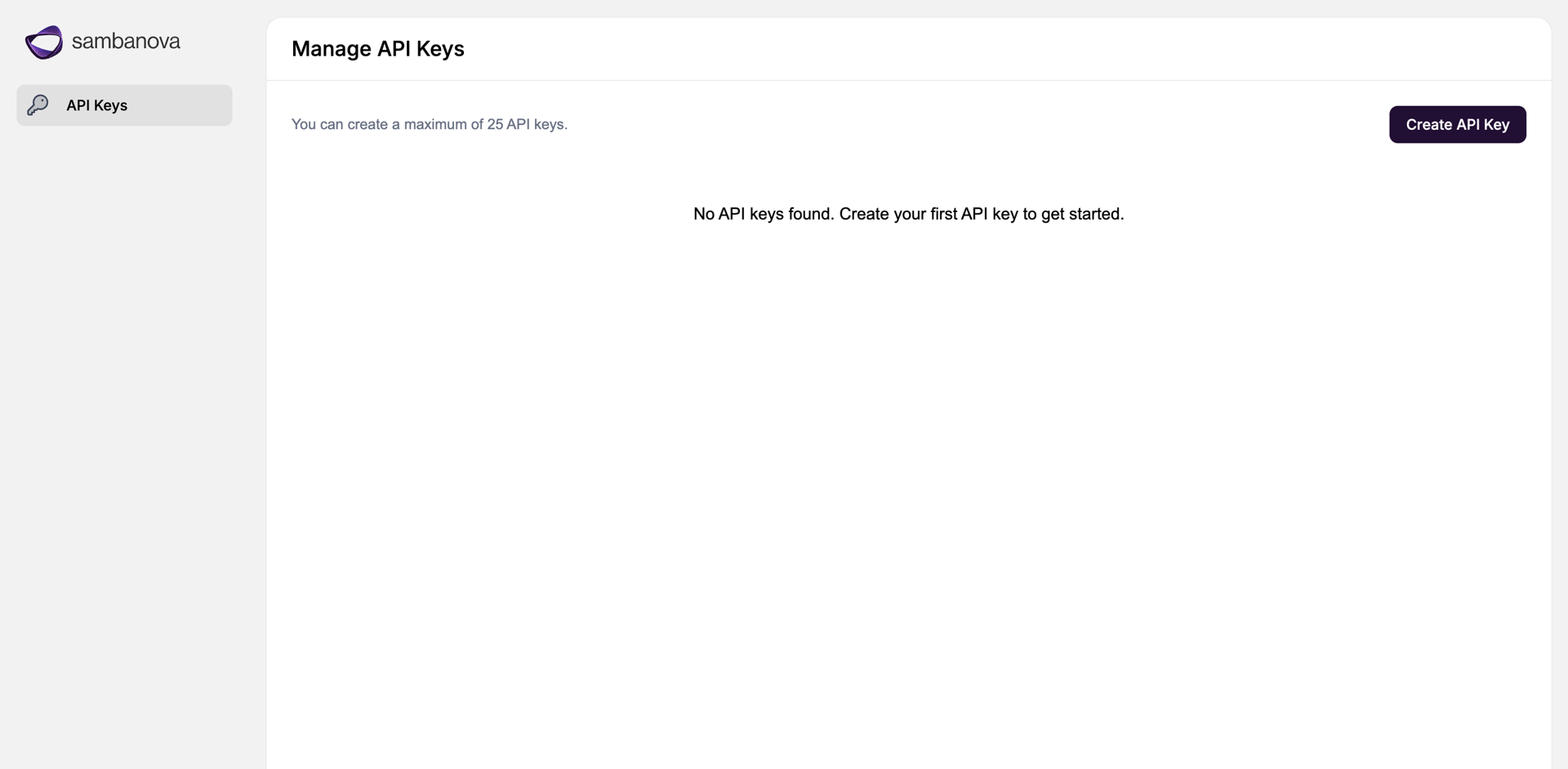
  3. Navigate to the API Keys page, create API key, and save securely!
5

Query Deployed Model Bundle

  1. Set your API key:
    export SAMBANOVA_API_KEY='<API key from step 4.3>'
    
  2. Run a test query against the deployed model bundle with either cURL or a python script:
    Run the following cURL command, making sure to enter the correct domain:
    curl https://<API DOMAIN from step 2.3>/v1/chat/completions \
      -H "Authorization: Bearer $SAMBANOVA_API_KEY" \
      -H "Content-Type: application/json" \
      -d '{
        "model": "gpt-oss-120b",
        "messages": [
          {"role": "system", "content": "You are a concise assistant."},
          {"role": "user", "content": "Say hi in one sentence and comment on the weather."}
        ],
        "temperature": 0.2,
        "max_tokens": 128,
        "stream": false
      }'
    
    Your response should resemble the following:
    {
      "choices": [
        {
          "finish_reason": "stop",
          "index": 0,
          "logprobs": null,
          "message": {
            "content": "Hi there, it's a sunny day today!",
    		"reasoning": "The user wants a short response: \"Say hi in one sentence and comment on the weather.\" So we need to produce a single sentence that says hi and comments on the weather. Must be concise. So something like \"Hi there! It's a sunny day today.\" That's two sentences. Need one sentence. Could be \"Hi there—it's a sunny day today!\" That's one sentence with dash. Or \"Hi there, it's a sunny day today!\" That's one sentence with comma. That works. Provide that.",
            "role": "assistant"
          }
        }
      ],
      "created": 1770927918,
      "id": "c754b468-05e1-4fe4-8a28-f51ecc74f4f2",
      "model": "gpt-oss-120b",
      "object": "chat.completion",
      "system_fingerprint": "fastcoe",
      "usage": {
        "completion_tokens": 121,
    	"completion_tokens_after_first_per_sec": 500.6027126944832,
        "completion_tokens_after_first_per_sec_first_ten": 502.05732024083596,
        "completion_tokens_after_first_per_sec_graph": 502.05732024083596,
        "completion_tokens_per_sec": 413.56225915094006,
        "end_time": 1770927918.2348678,
        "is_last_response": true,
        "prompt_tokens": 91,
        "prompt_tokens_details": {
          "cached_tokens": 0
        },
        "start_time": 1770927917.942288,
        "stop_reason": "stop",
        "time_to_first_token": 0.05286884307861328,
        "time_to_first_token_graph": 0.05082893371582031,
        "total_latency": 0.29257988929748535,
        "total_tokens": 212,
        "total_tokens_per_sec": 724.5884209917298
      }
    }
    

Next Steps

Congrats! You’ve set up your SambaStack cluster to a baseline running state. At this point, what you configure next depends on your goals. The following is a list of common configurations you can set up next:

Appendix

Example Kubeconfig Structure

The following sample kubeconfig file shows how clusters, users, and contexts are defined for Kubernetes authentication and access.
    apiVersion: v1
    kind: Config
    clusters:
      - name: default
        cluster:
          certificate-authority-data: <redacted>
          server: https://<cluster-endpoint>
    users:
      - name: sambastack-admin
        user:
          token: <redacted>
    contexts:
      - name: default
        context:
          cluster: default
          user: sambastack-admin
          namespace: default
    current-context: default

Kubeconfig Fields

KeywordDescription
apiVersion / kindDefines the type of Kubernetes config.
clustersContains cluster names, endpoints, and certificate authority information.
usersSpecifies users and their authentication method (e.g., token).
contextsMaps a user to a cluster and may include a default namespace.
current-contextThe active context used by kubectl.

Command reference table

TaskExample command
Set kubeconfigexport KUBECONFIG=<Path for kubeconfig file>
Check installer logs and get domain nameskubectl -n sambastack-installer logs -l sambanova.ai/app=sambastack-installer -f
Verify cluster podskubectl get pods
List nodeskubectl get nodes
Apply / update manifestkubectl apply -f <sambastack.yaml>
View applied manifestkubectl get configmap sambastack -o yaml
Retrieve Keycloak admin credentialskubectl get secret keycloak-initial-admin -o go-template='username: {{.data.username | base64decode}} password: {{.data.password | base64decode}}'
Access Keycloak as an adminkubectl port-forward svc/keycloak-service 8080