

Prerequisites
Before you begin, ensure you have the following set up:- A free SambaCloud account and API key
- Node.js 22.22.3+, 24.15+, 25.9+, or 26 (recommended). The installer script provisions Node automatically if it is missing.
Setup
1
Install OpenClaw
npm 12 blocks package lifecycle scripts by default, which skips OpenClaw’s
preinstall and postinstall steps. If your install reports blocked scripts, allow them explicitly:2
Start OpenClaw
3
Open the Control UI
The Control UI is served at http://127.0.0.1:18789 by default. To reopen it later, run:Confirm the Gateway is running:The output should show
Runtime: running and Connectivity probe: ok.Add SambaNova as a provider
1
Add the SambaNova provider configuration
Open
~/.openclaw/openclaw.json in a text editor and add the following keys to the top-level object, replacing <YOUR-API-KEY> with your SambaCloud API key from the SambaCloud portal.~/.openclaw/openclaw.json is JSON5, so comments and trailing commas are allowed. If an agents key already exists in your config, merge the defaults.model.primary value into it rather than adding a duplicate key.2
Validate the config
Before restarting, confirm the file has no syntax errors:If validation fails, open the file and fix the reported line. Common mistakes: a missing comma between top-level keys, or a mismatched brace.
3
Restart the Gateway
4
Verify the model is registered
sambanova/MiniMax-M2.7 appears in the list with default,configured in the Tags column.5
Start using SambaNova models
Return to the chat in the upper-left sidebar of the Control UI and send a message. You can also switch models from the chat by running 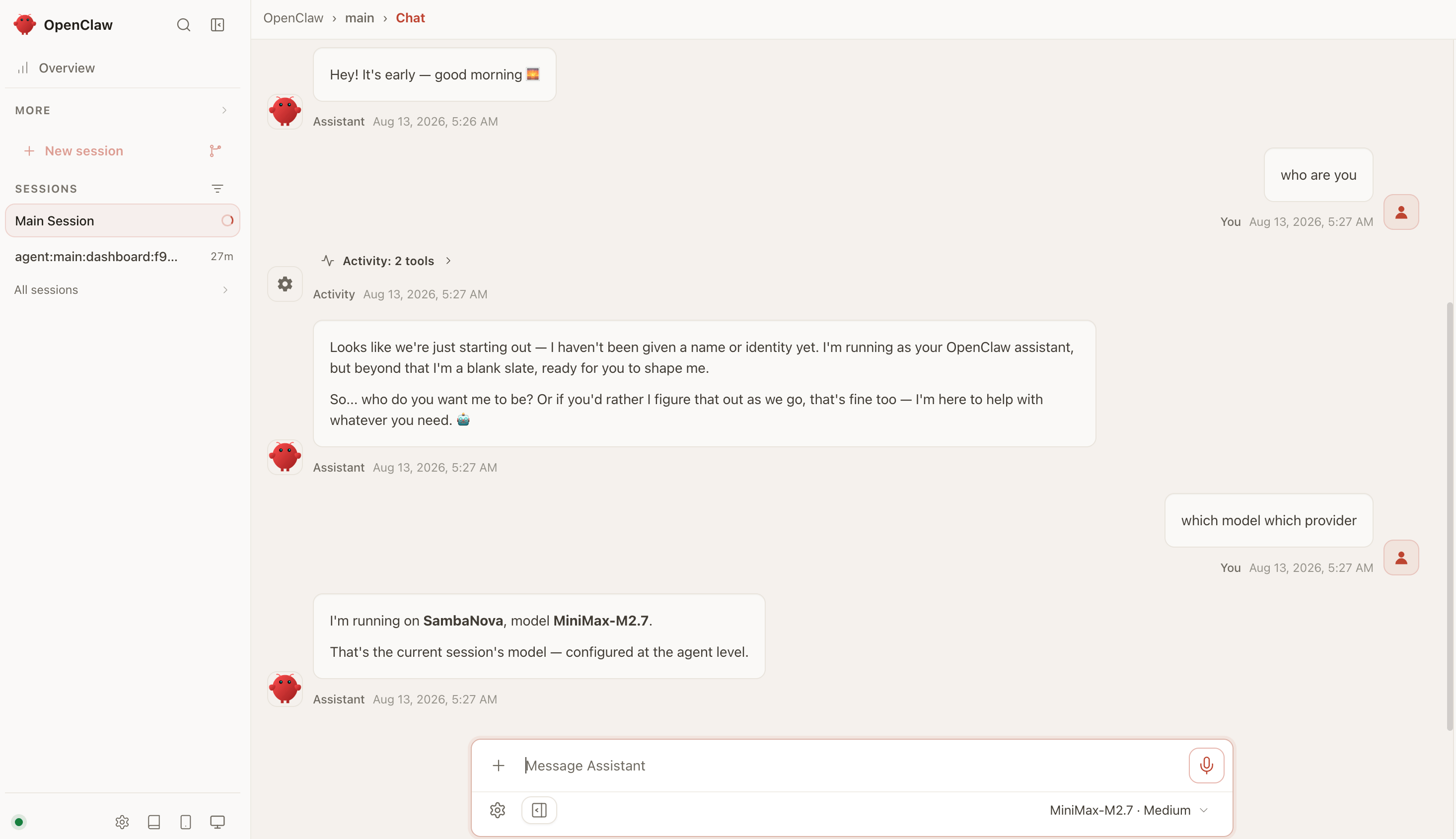
/model sambanova/MiniMax-M2.7.Troubleshooting
Config validation fails after editing openclaw.json
Config validation fails after editing openclaw.json
Run
openclaw config validate to see the exact error. The most common causes are a missing comma between top-level JSON keys, a mismatched brace or bracket, or a stray character near the edit. The file is JSON5, so trailing commas inside objects and arrays are allowed — the issue is usually a missing comma between sibling keys at the top level.Model override is not allowed
Model override is not allowed
If
agents.defaults.modelPolicy.allow is set, it acts as an allowlist for every model selection. Add sambanova/MiniMax-M2.7 or the sambanova/* wildcard to that list, or remove the list to allow any model.Model not found
Model not found
OpenClaw model refs use the format
provider/model, so always use sambanova/MiniMax-M2.7. Run openclaw models list to confirm the model appears with configured in the flags column. If it does not, confirm the models.providers.sambanova block was added correctly and that openclaw gateway restart ran after the edit.Authentication errors from SambaNova
Authentication errors from SambaNova
Confirm
apiKey under models.providers.sambanova in ~/.openclaw/openclaw.json holds a valid key from the SambaCloud portal. After editing the config, run openclaw config validate, then openclaw gateway restart, and verify with openclaw models status.npm reports blocked lifecycle scripts
npm reports blocked lifecycle scripts
npm 12 blocks package lifecycle scripts by default, so OpenClaw’s
preinstall and postinstall steps are skipped. Reinstall with npm install -g openclaw@latest --allow-scripts openclaw.The Control UI does not open
The Control UI does not open
Run
openclaw dashboard to reopen it, or browse to http://127.0.0.1:18789 directly. Check that the Gateway is running with openclaw gateway status, and run openclaw doctor for configuration issues.