

Prerequisites
Setup
1
Enable SambaNova as an inference provider
Go to your Hugging Face account settings, navigate to Inference Providers, and enable SambaNova.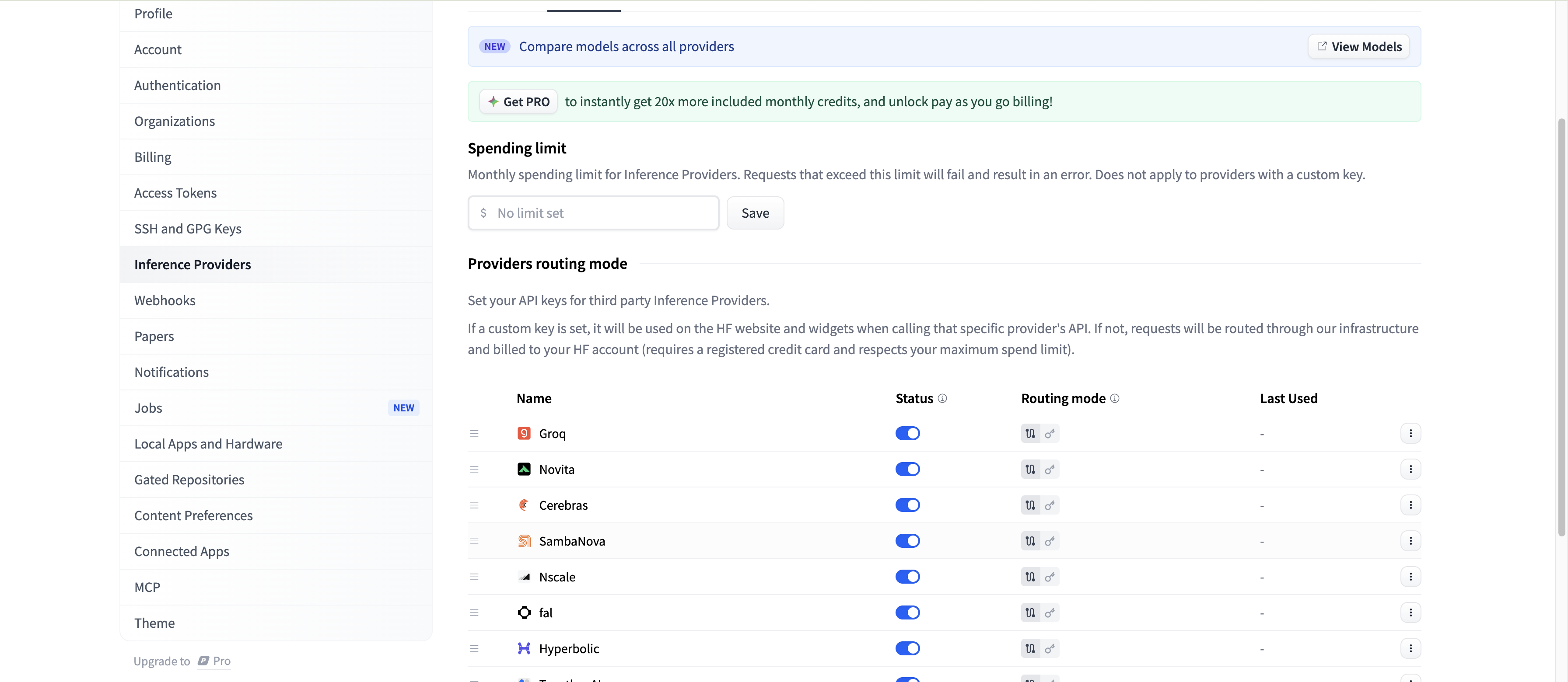
2
Add your SambaCloud API key
Enter your SambaCloud API key in the provider configuration.Get your API key from the SambaCloud portal.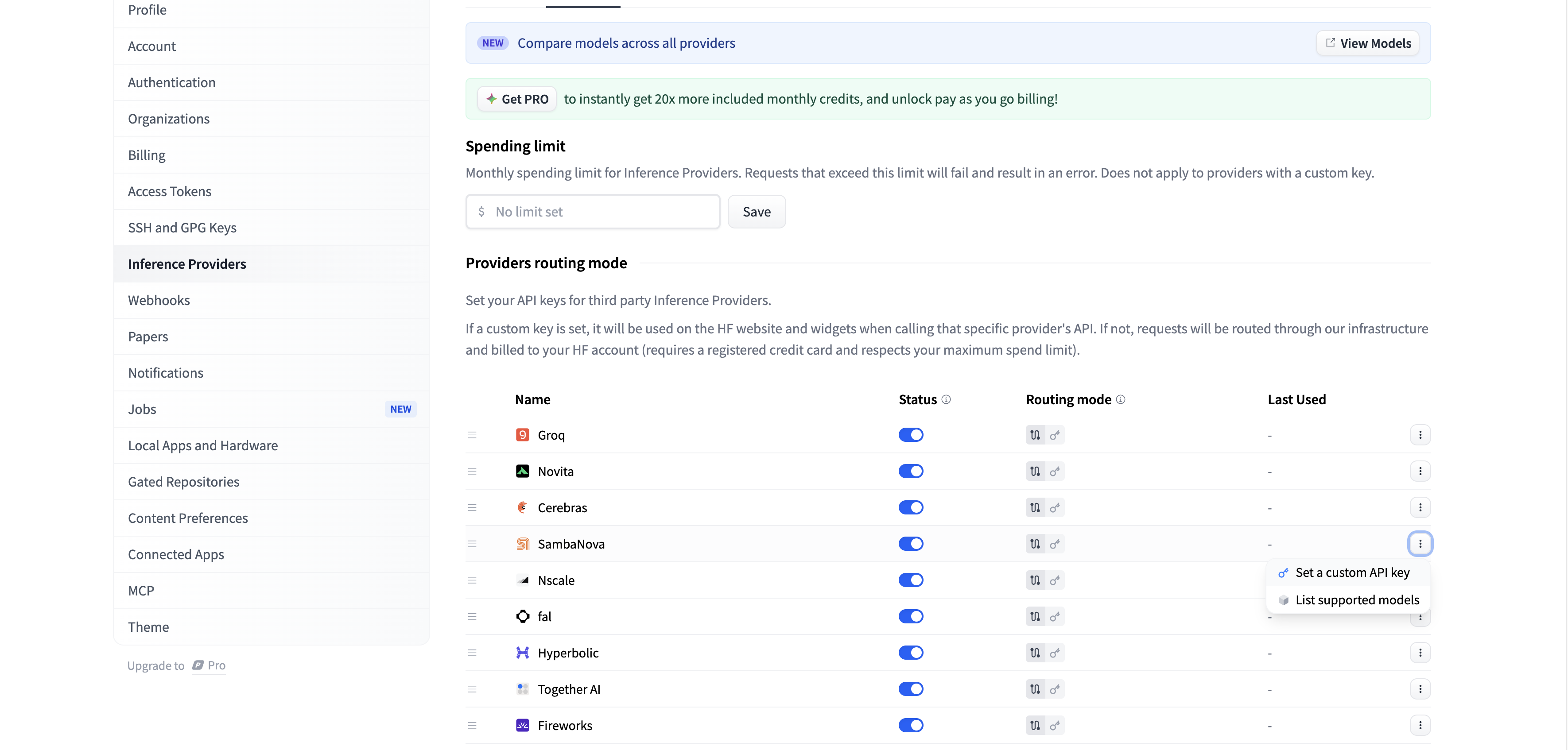
Usage
There are two ways to use Inference APIs:- Custom key: Your requests are sent directly to SambaNova using your own API key. Usage is billed to your SambaNova account.
- Routed by HF: Your requests are routed through Hugging Face, so you don’t need a separate provider API key. Usage fees are billed to your Hugging Face account.
Using the Python SDK
Install the required package:Additional resources
Troubleshooting
SambaNova not showing in Inference Providers
SambaNova not showing in Inference Providers
Ensure your Hugging Face account is verified and eligible for third-party inference providers. Check Hugging Face Inference Providers docs.
ImportError: huggingface_hub version too old
ImportError: huggingface_hub version too old
Upgrade with
pip install --upgrade "huggingface_hub>=0.28.0".