

Prerequisites
Before starting, ensure you have:- A SambaCloud account and API key. If you do not have your API key, get it from the SambaCloud portal.
- An OpenRouter account and API key, available from the OpenRouter keys page. The Python example reads it from the
OPENROUTER_API_KEYenvironment variable. - Credits on your OpenRouter account. BYOK requests still incur an OpenRouter platform fee that is charged to your OpenRouter credit balance, not to your SambaCloud account. See Billing.
- Python 3.10 or higher. The
openrouterpackage declaresrequires_python >=3.10, sopip installfails on Python 3.9 and earlier.
Setup
Follow the steps below to connect your SambaNova API key to OpenRouter using the BYOK feature:1
Navigate to BYOK settings
Go to your OpenRouter BYOK settings, or open Settings > BYOK in the OpenRouter dashboard. BYOK keys are scoped to an OpenRouter workspace, and this link opens your default workspace.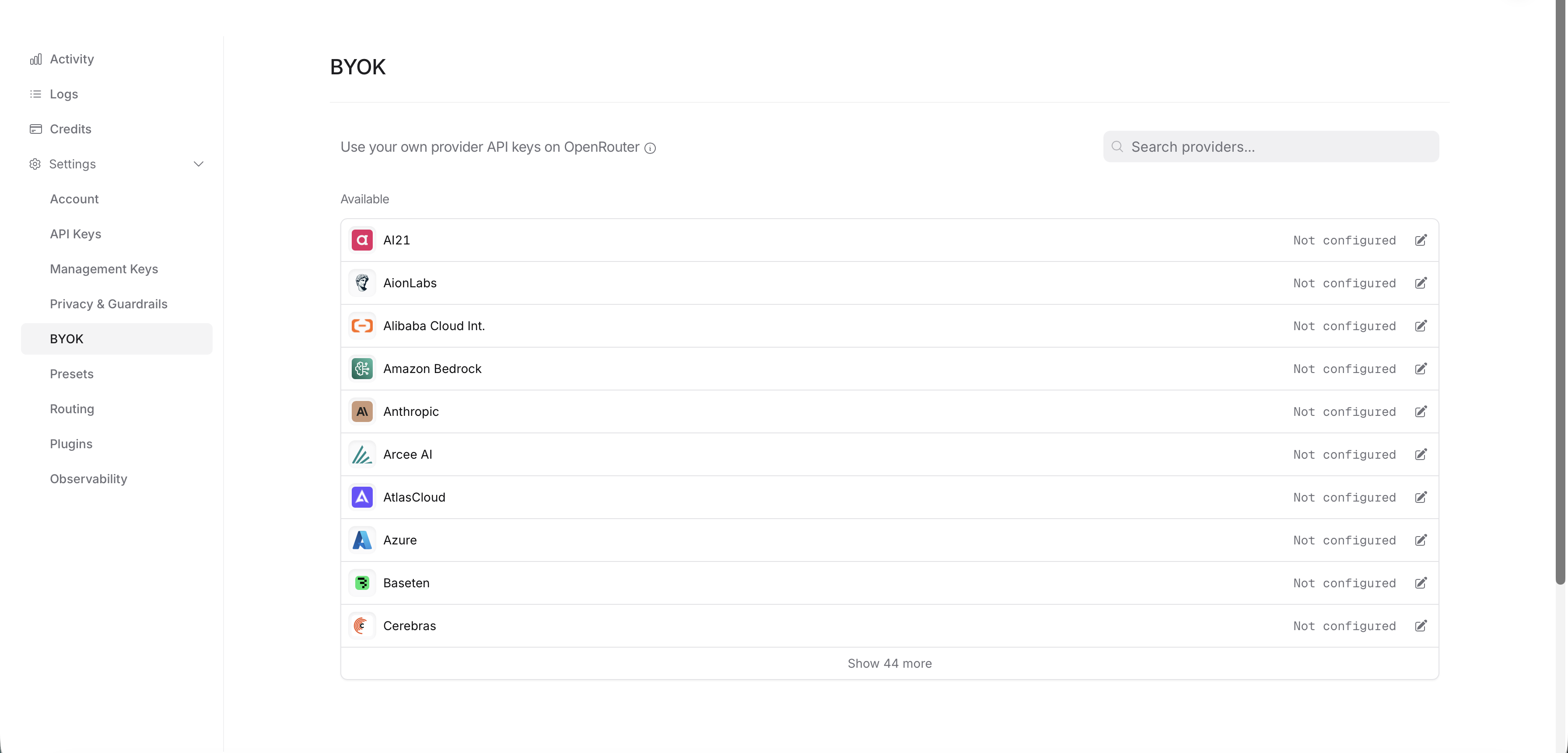
2
Select SambaNova as your provider
Search for SambaNova in the provider list and select it.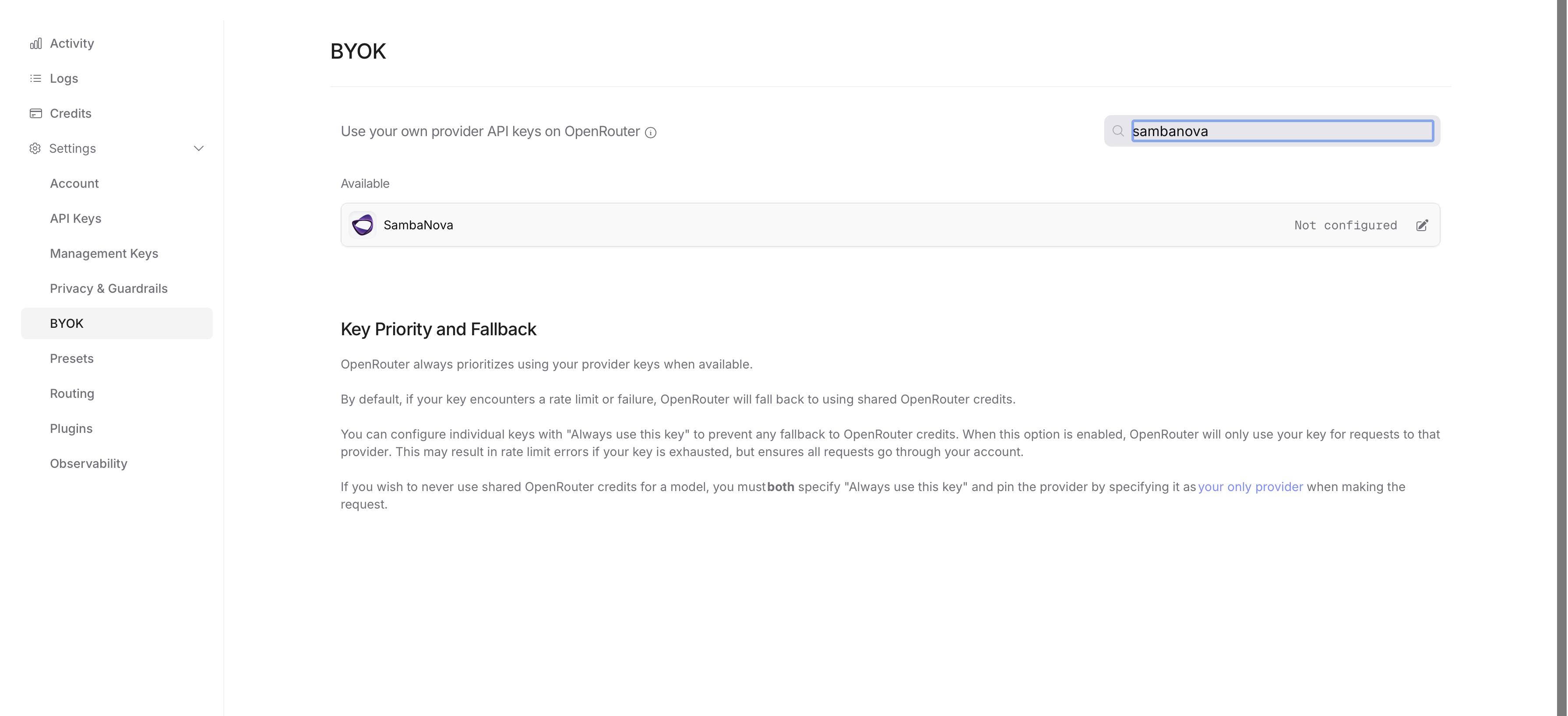
3
Add your SambaCloud API key
Enter your SambaCloud API key in the Key field, leave Enabled turned on, and click Save.Click Test before you save. OpenRouter calls SambaNova with the key and reports the result, so you find out immediately whether the key is valid instead of debugging it from your application later.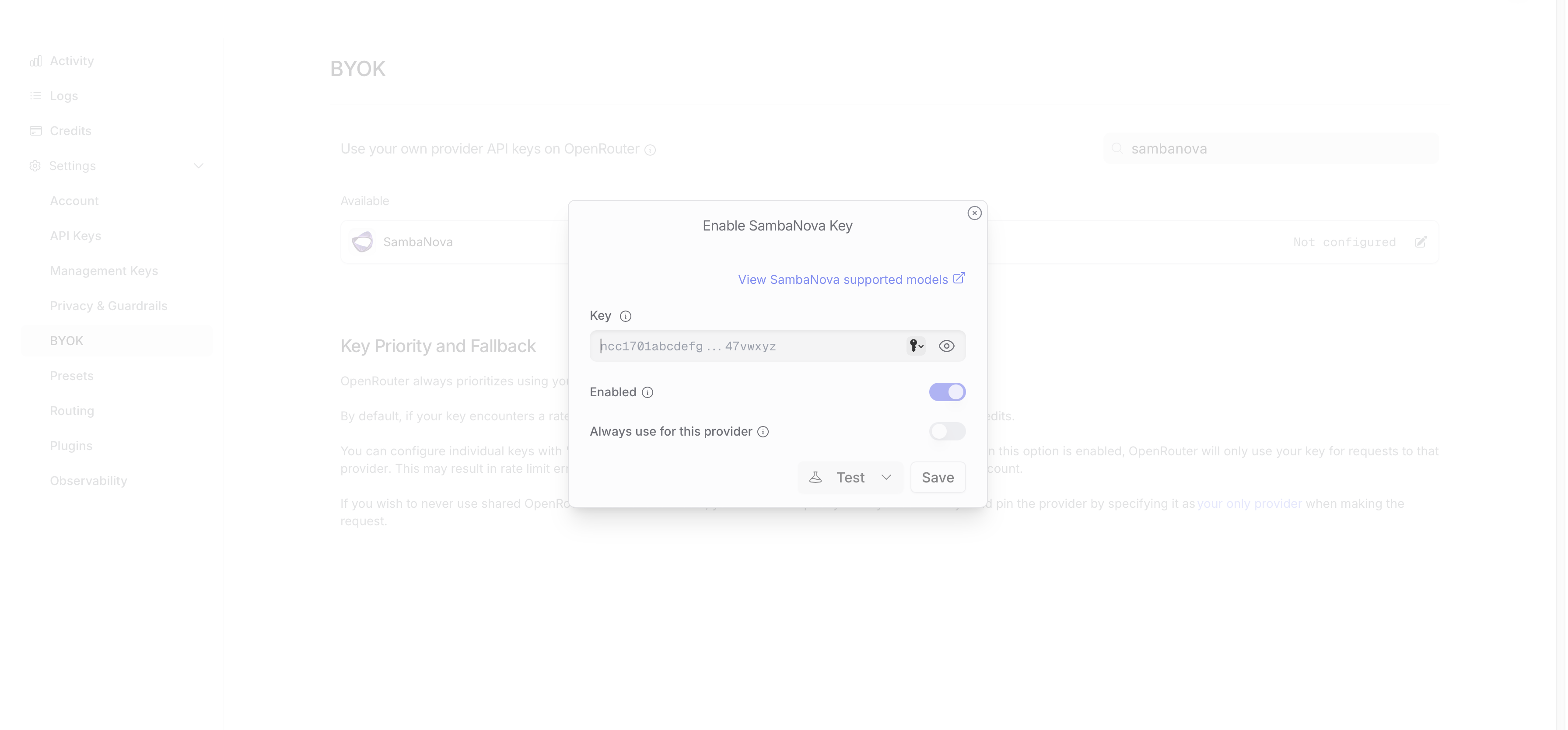
4
Choose whether to allow fallback to OpenRouter capacity
Always use for this provider is turned off by default. While it is off, OpenRouter falls back to its own shared SambaNova capacity whenever your key is rate limited or rejected, and bills those requests to your OpenRouter credits instead of your SambaCloud account.Turn it on if every SambaNova request must go through your own key. You then receive rate limit errors rather than a silent fallback.
Supported models
OpenRouter addresses models by its own slugs rather than by SambaCloud model IDs. The following SambaNova-hosted models are served by thesambanova provider on OpenRouter, which is the provider your BYOK key is registered against:
For the current list, click View SambaNova supported models in the BYOK dialog or open the SambaNova provider page on OpenRouter. For context lengths and supported modalities, see SambaCloud models.
Using the Python SDK
Install the OpenRouter SDK:provider={"only": ["sambanova"]} pins routing to SambaNova, and OpenRouter tries your BYOK key before any shared SambaNova capacity.
ChatResult, so response.choices[0].message.content holds the generated text.
Confirm the request used your key
A successful response alone does not prove that OpenRouter used your SambaCloud key rather than its own shared capacity. Opt in to router metadata and readis_byok:
x_open_router_metadata="enabled" sends the X-OpenRouter-Metadata: enabled header, which adds an openrouter_metadata object to the response. is_byok is True when the request was served with your own provider key and False when it was served by OpenRouter’s shared capacity.
Handle errors
Wrap the call so that a rejected key or an exhausted quota surfaces as a readable message instead of a traceback:OpenRouterError is the base class for every HTTP error the SDK raises and exposes status_code, message, and body. Catch a subclass such as UnauthorizedResponseError (401) or TooManyRequestsResponseError (429) when you need to branch on a specific status.
Billing
When you use BYOK (Bring Your Own Key) on OpenRouter:
- You pay SambaNova directly for inference using your own SambaCloud API key.
- OpenRouter charges a 5% platform fee based on what the same model and provider would cost at OpenRouter’s standard pricing.
- The fee is deducted from your OpenRouter credits, not your SambaCloud account.
- Each plan includes a free monthly BYOK allowance, measured by list-price inference cost rather than by request count. Pay-as-you-go includes 200,000. See the OpenRouter pricing page for details.
Troubleshooting
429 Too Many Requests reported against SambaNova
429 Too Many Requests reported against SambaNova
You reached the rate limit on your SambaCloud account. See Rate limits for your account’s limits, then retry with backoff.
The request fails with no provider available
The request fails with no provider available
The model you requested has no
sambanova endpoint, so provider={"only": ["sambanova"]} leaves nothing to route to. Use a slug from Supported models.is_byok is False on a successful response
is_byok is False on a successful response
The request fell back to OpenRouter’s shared SambaNova capacity because your key was disabled, rate limited, or rejected. Fix the key, then turn on Always use for this provider to stop the fallback.
pip install fails or resolves an unexpected version
pip install fails or resolves an unexpected version
The
openrouter package requires Python 3.10 or higher. Check with python3 --version and install into a virtual environment created by a supported interpreter.provider_responses field.