

Prerequisites
Before you begin, ensure you have:- An n8n account, cloud or self-hosted, on a current release. The Advanced AI cluster nodes this guide uses have shipped since the 1.x line and n8n is now on 2.x, so any maintained version has them. If you self-host an older build, confirm AI Agent appears in the node search before going further
- A SambaCloud API key. Get one by creating a SambaCloud account and generating a key from the API keys tab
The OpenAI Chat Model node is a sub-node – it can’t run on its own. It must be attached to a root node such as AI Agent or Basic LLM Chain. This guide uses AI Agent.
Open or create a workflow
Log in to the n8n platform and select the + button. Alternatively, select the Create Workflow button to start a new workflow.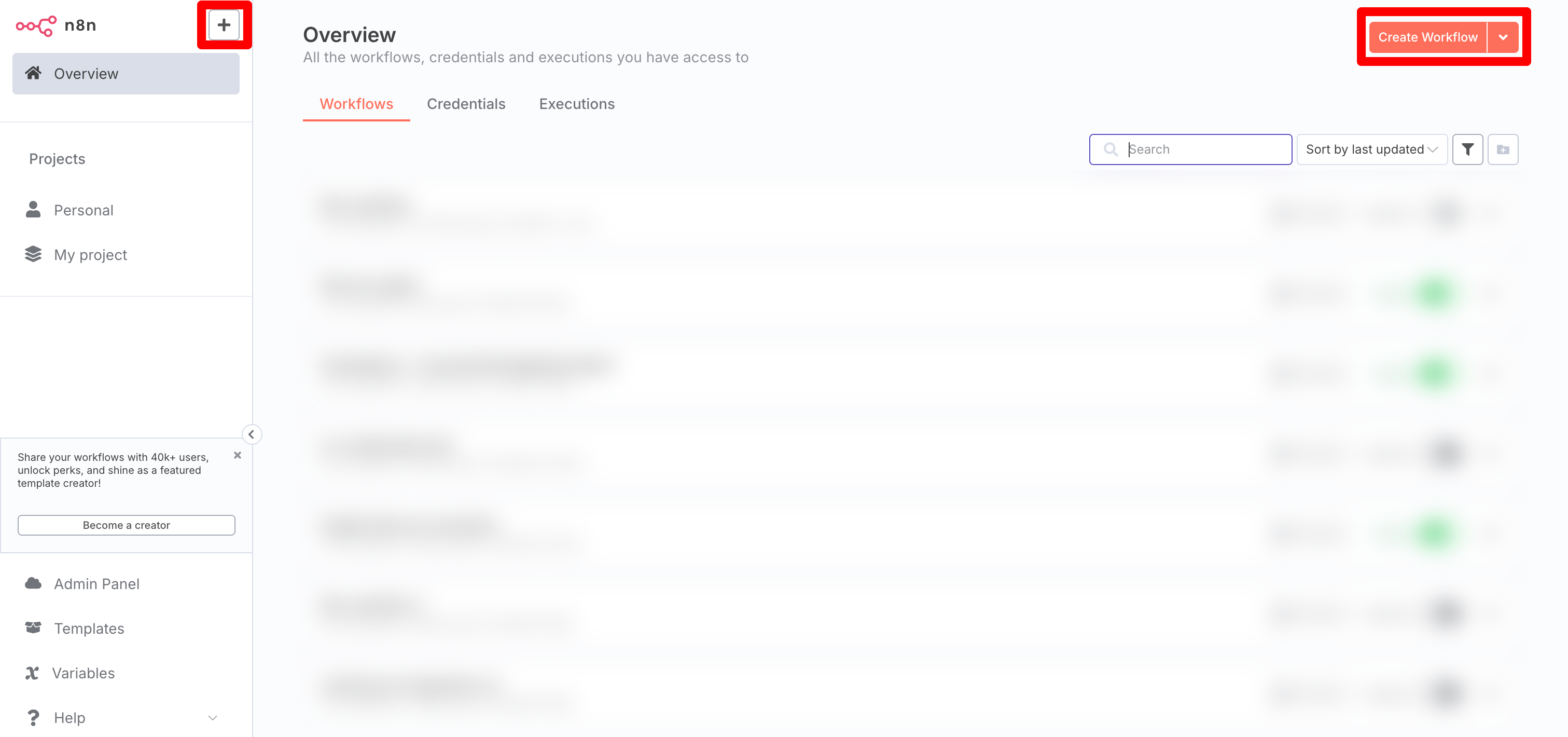
Add an AI Agent node
On the canvas, select Add first step or the + button, search for AI Agent, and add it. The AI Agent node is the root node that runs the model and any tools you attach. It appears on the canvas with empty connector slots underneath, one of which is Chat Model.Add the OpenAI Chat Model sub-node
Select the + on the AI Agent node’s Chat Model connector and choose OpenAI Chat Model. SambaCloud is OpenAI-compatible, so this node works against it without a SambaNova-specific node.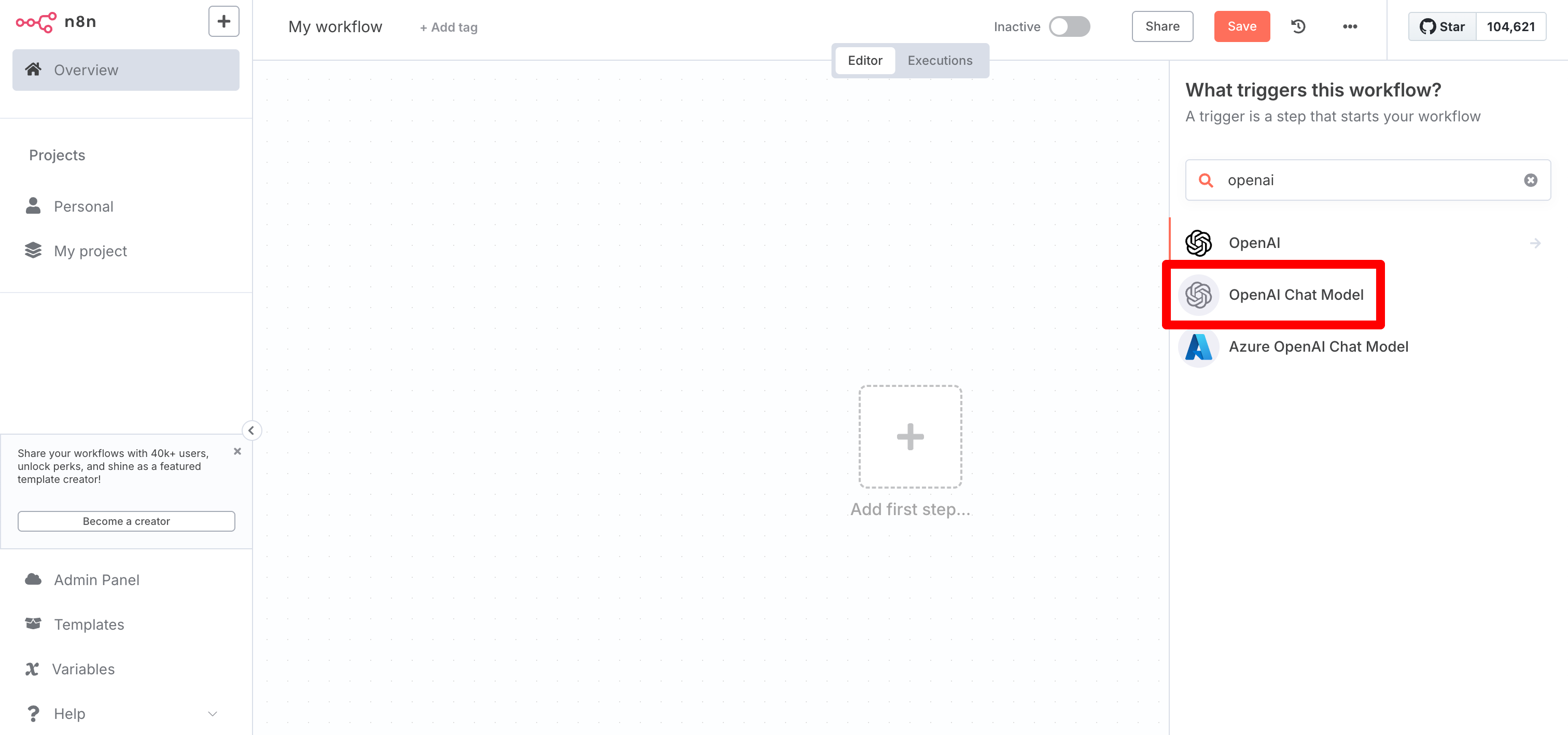
Configure your credentials
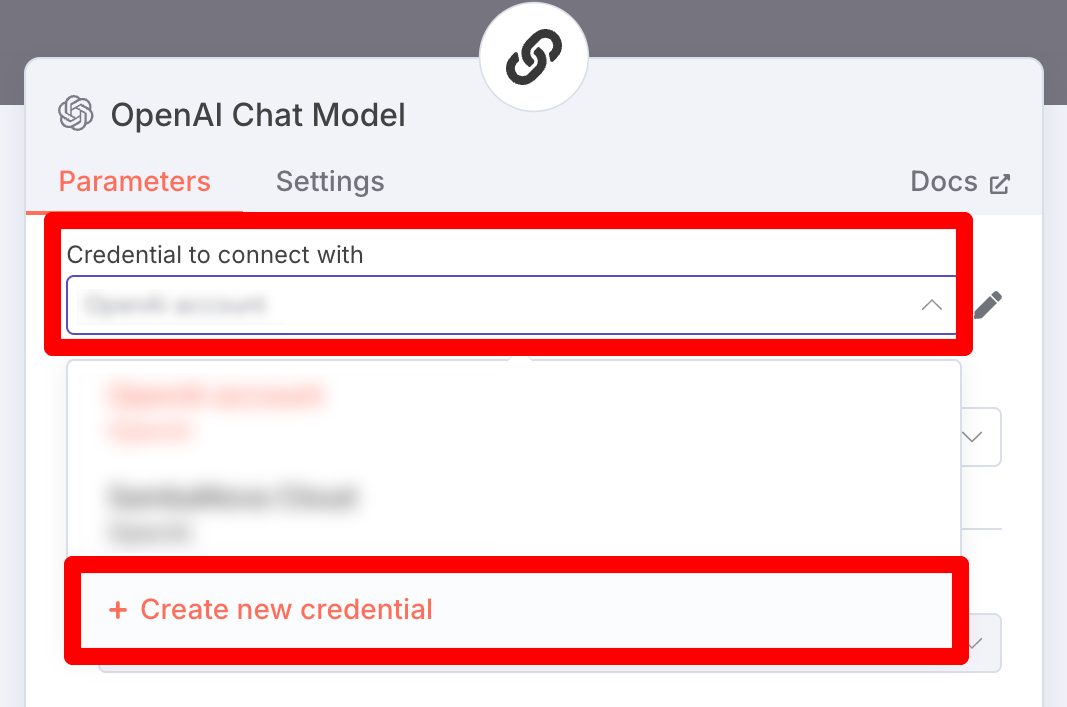
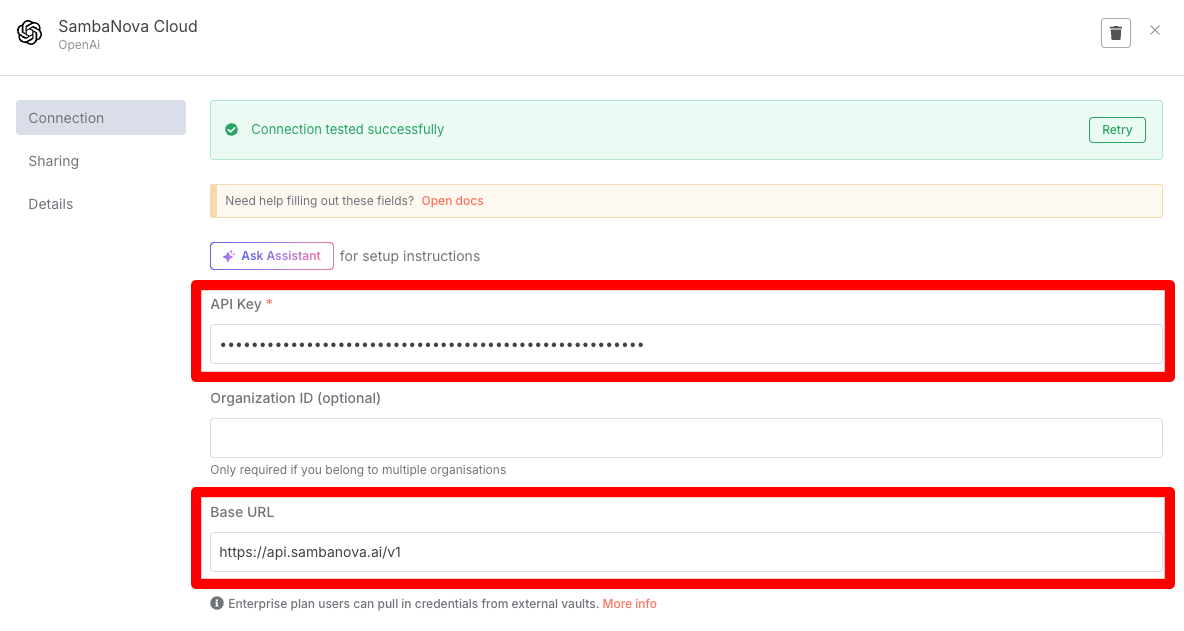
In the OpenAI Chat Model panel, open the Credential to connect with dropdown and select Create new credential. Enter your SambaCloud API key as the API Key, then set Base URL tohttps://api.sambanova.ai/v1.
Select a model
Click the Model dropdown. n8n populates it by calling/models on the Base URL you configured, so once the credential saves you see SambaCloud’s current catalog.
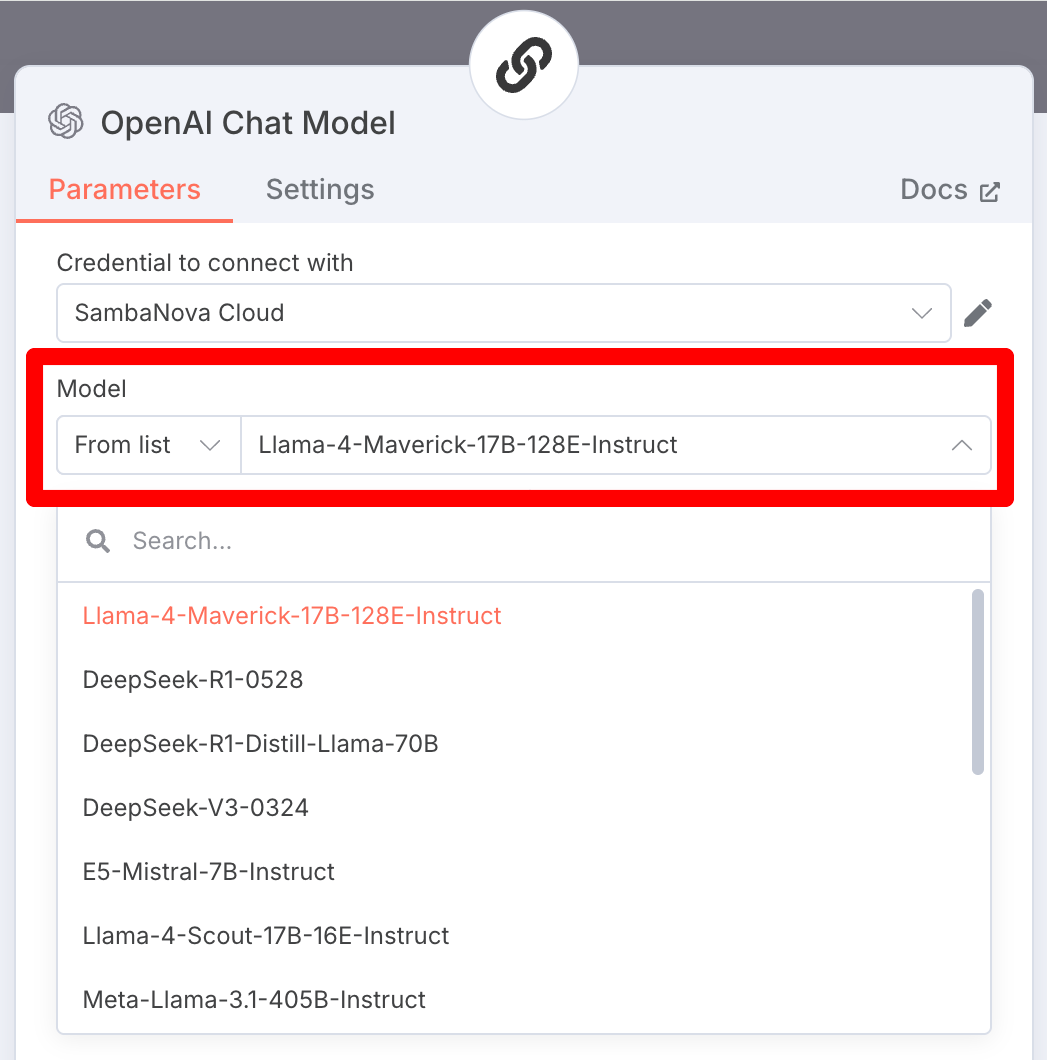
The model IDs in the screenshot above are from an earlier catalog and several have since been retired. Trust the dropdown, which lists what SambaCloud serves right now, over the names in the image. You can check the same list yourself with
curl https://api.sambanova.ai/v1/models, which needs no API key, or see SambaCloud models.Troubleshooting
Model dropdown is empty
Model dropdown is empty
This usually means the credential test succeeded but the
/models call failed. Confirm the Base URL is exactly https://api.sambanova.ai/v1 with no trailing slash issues, and that the API key is valid.Credential test passes but the node returns a 404 at runtime
Credential test passes but the node returns a 404 at runtime
This was reported against n8n’s standalone OpenAI node (v2, “Message a model”) with a custom Base URL: the credential test passes because it and the runtime node do not build the same final URL. See n8n-io/n8n#21651, filed against a different OpenAI-compatible provider and closed as completed on 2026-05-26, so a current n8n should not hit it.If you do, check whether
/v1 ends up missing or duplicated in the final URL, and use the OpenAI Chat Model sub-node with AI Agent as this guide does, which was unaffected.Agent doesn't use tools you've attached
Agent doesn't use tools you've attached
Two causes. Built-in tool calling with the OpenAI Chat Model node works only when it is connected to an AI Agent node, not a Basic LLM Chain. If you are already on AI Agent, check the model: tool calling needs a model listed under Function calling, and
gemma-4-31B-it is not one of them, so an agent using it answers without ever calling your tools and logs no error.