

Prerequisites
Before starting, ensure you have:- A SambaCloud account and API key
- Node.js 18 or later (if installing via npm)
Installation and setup
1
Install OpenCode
- curl
- npm
2
Open the web UI
http://localhost:4096).3
Add a custom provider
Go to Settings > Providers and click to add a new custom provider.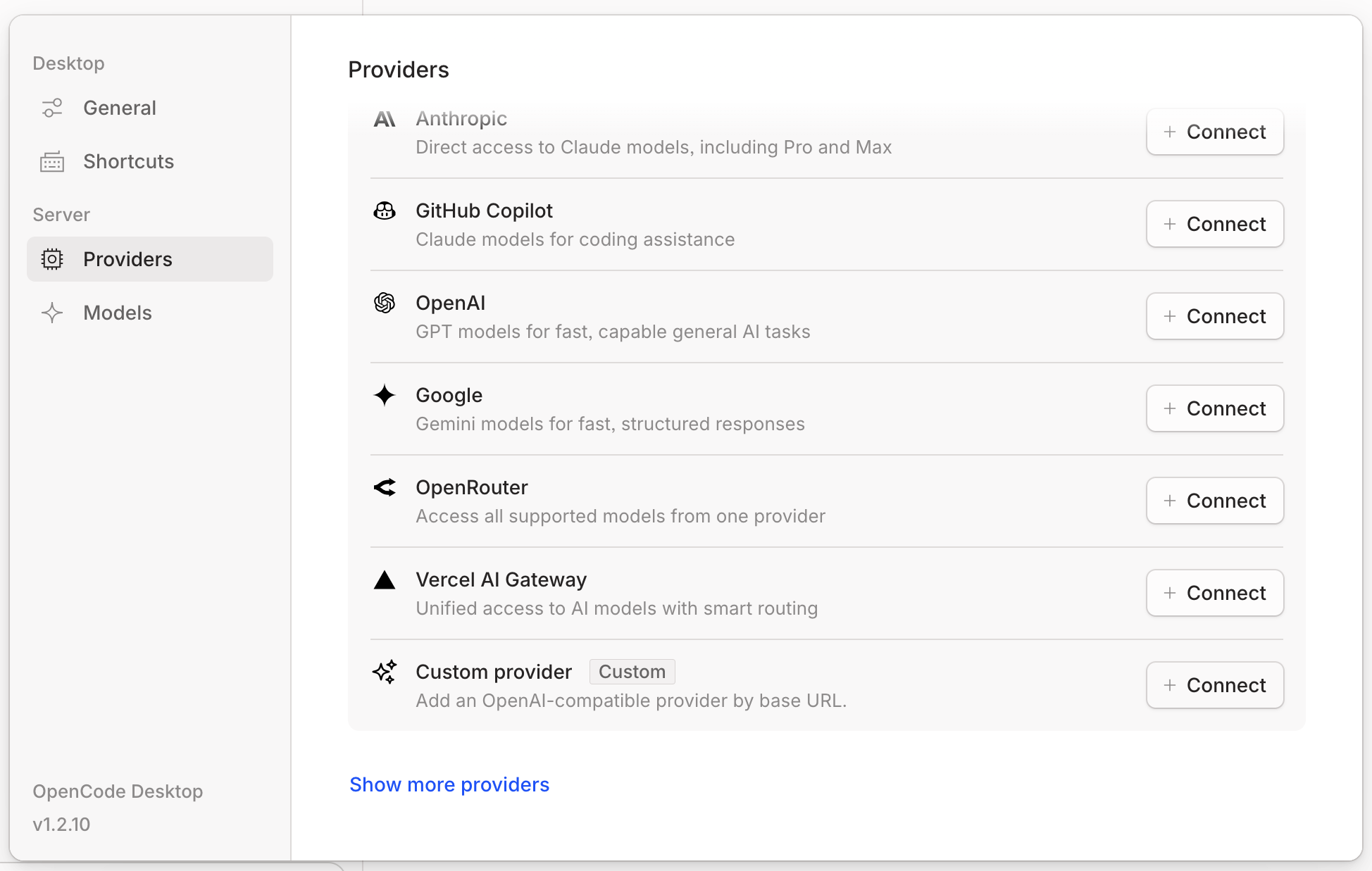
4
Configure SambaNova credentials
Enter the following details: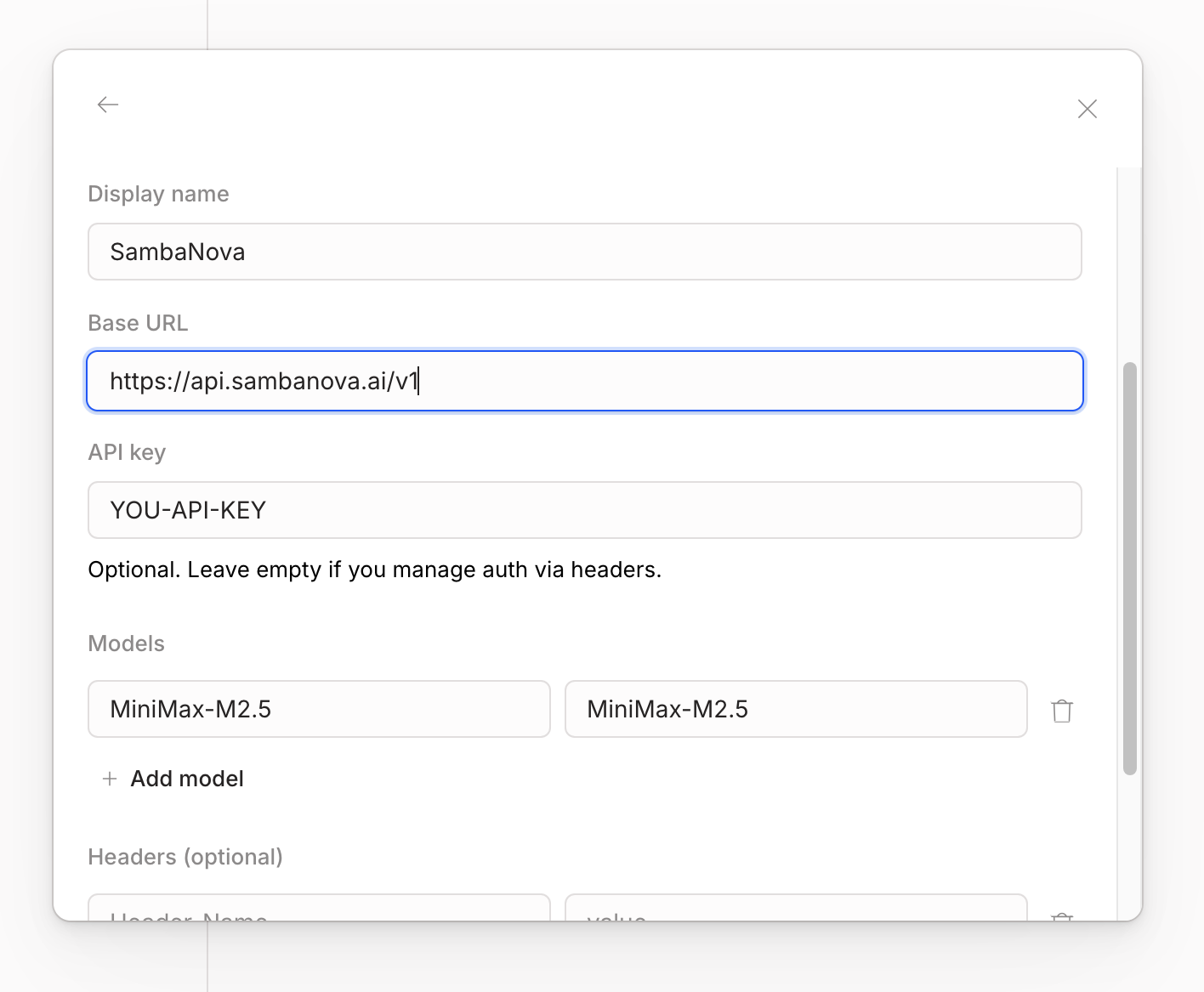
- URL:
https://api.sambanova.ai/v1 - API Key: Your SambaCloud API key
- Model Name: For example,
MiniMax-M2.7
5
Start using SambaNova models
You can now use SambaNova models in your OpenCode workflows.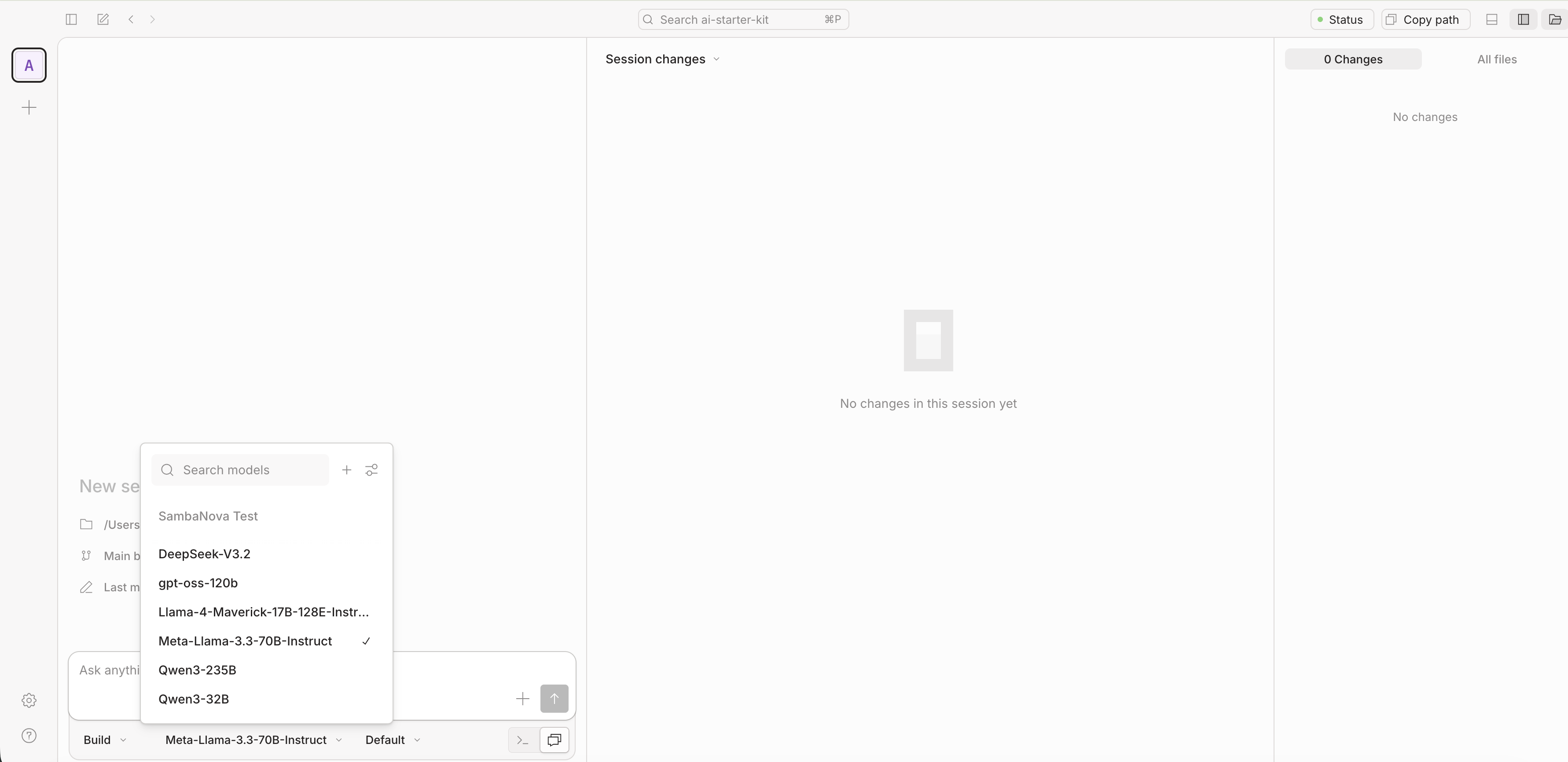
After finishing the configuration, if you want to add more models, modify the
models key in the file ~/.config/opencode/opencode.json:Troubleshooting
Model not found
Model not found
OpenCode model IDs use the format
provider/model — always sambanova/MiniMax-M2.7, never the bare ID. The bare ID is only used as a key inside provider.sambanova.models in opencode.json.API key not picked up
API key not picked up
{env:SAMBANOVA_API_KEY} is resolved at OpenCode startup. Export the variable in your shell, then launch OpenCode from that same shell session — not from a stale tmux pane or a shell that didn’t source the export.Web UI does not open
Web UI does not open
Run
opencode web from your terminal. OpenCode prints the URL it started on (for example, http://localhost:4096) and opens it in your browser automatically. If the port is already in use, check for another OpenCode process with lsof -i :[PORT], where [PORT] is the number shown in your terminal.