

Prerequisites
Before you begin, ensure you have:-
A SambaCloud account with an API key, exported as
SAMBANOVA_API_KEY: - Node.js 22 or later installed on your system
Install Node.js
If you do not have Node.js 22 or later, download an installer from nodejs.org or use a version manager such as nvm. Verify the installation:Setup
1. Install Qwen Code CLI
Install Qwen Code globally using npm: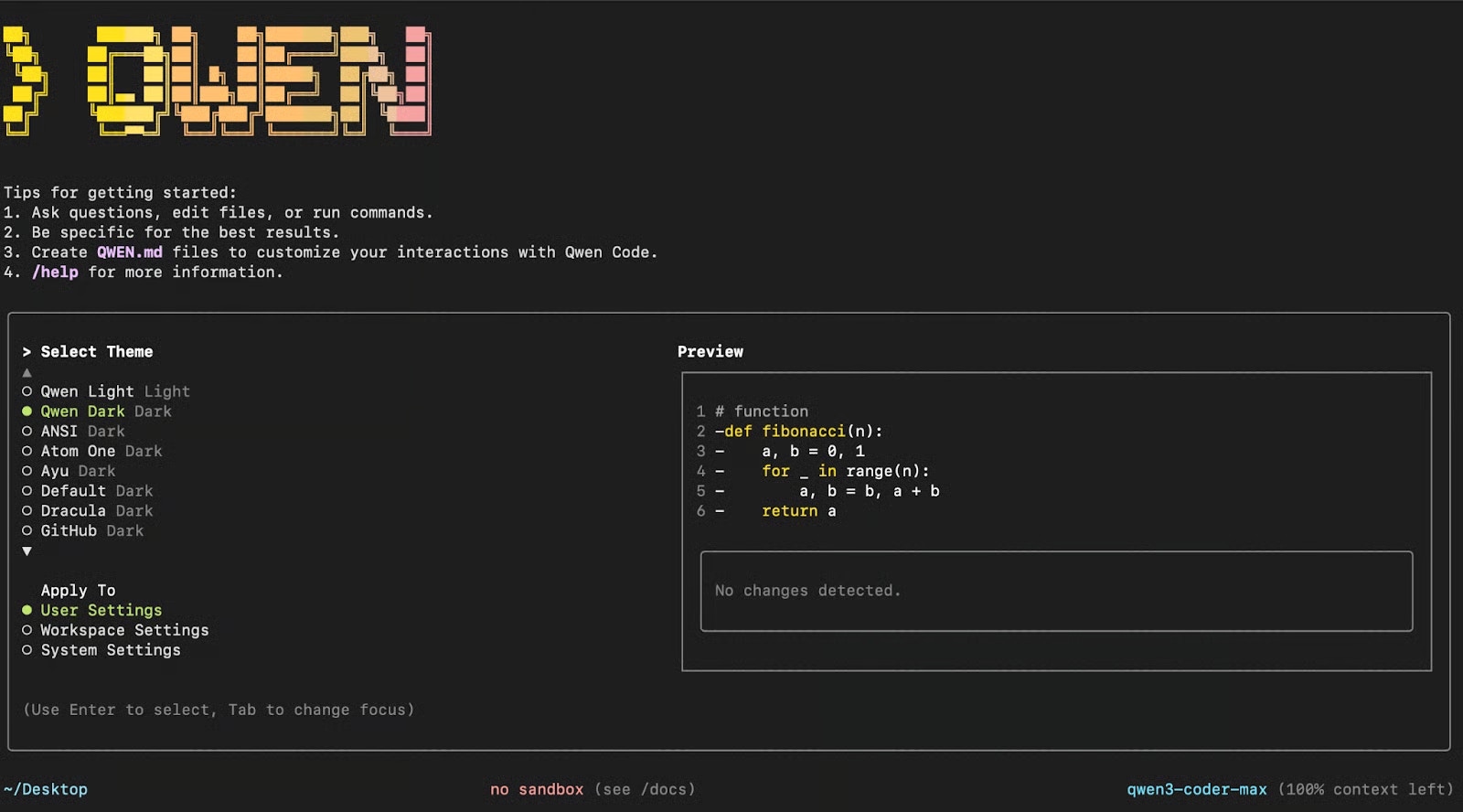
2. Configure SambaNova integration
Option A: Interactive configuration SambaNova is not a built-in provider, so choose it through the custom route. Run/auth, select Custom Provider, then supply your SambaNova credentials. Type the key itself rather than the variable name, because these are terminal prompts and do not expand shell variables:
qwen. If you already launched it in the previous step, exit and run qwen again from the same shell, otherwise the running process will not pick up the new values.
Run a single prompt without the interactive UI
Pass-p to run one prompt and exit, which is what you want in a script or a CI job:
--output-format also accepts json and stream-json. Non-interactive runs use the same three environment variables, and they are the only way to authenticate here, since there is no prompt to fall back on.
OPENAI_MODEL accepts any model ID from SambaCloud models. Qwen Code is an agentic coder that reads files, edits them, and runs commands through tool calls, so the model you choose has to support function calling. DeepSeek-V3.1 does, and it has a 128k token context window, which is what limits how much of a codebase Qwen can consider at once. On a large repository, scope prompts to specific files with @, as in @app.py, rather than asking about the whole tree.
Example workflow
In this section, you’ll see how Qwen Code CLI can work with a real-world GitHub project. With just a few well-structured prompts, Qwen can help you navigate the codebase, optimize performance, extend functionality, and streamline documentation. Through these examples, you’ll learn how to:- Analyze the overall architecture of the codebase
- Optimize functions for improved memory efficiency
- Extend functionality by integrating new components
- Push version-controlled updates directly to GitHub
- Document all updates in a clear, structured changelog
1. Explore and understand a codebase
Clone a sample repository and navigate to the project directory: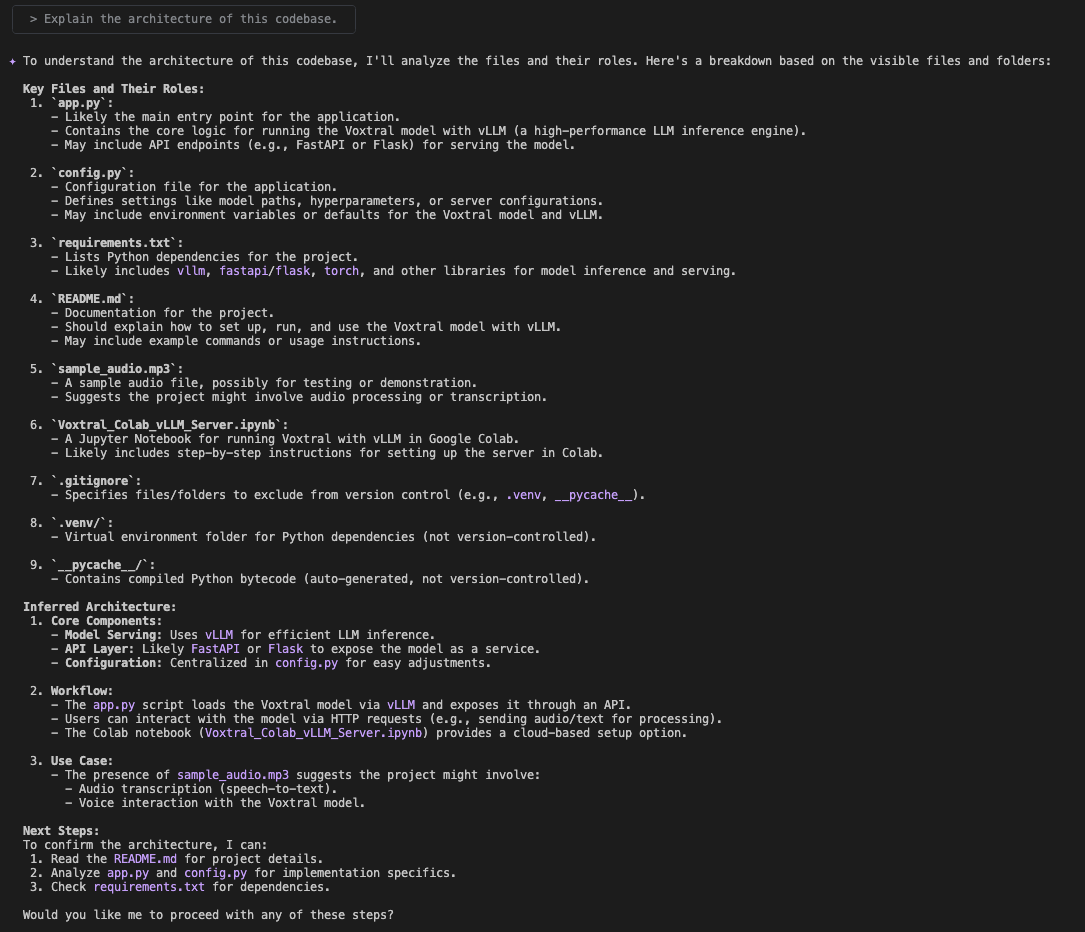
app.py, config.py, requirements.txt, and generates a high-level architectural summary with suggested next steps.
2. Optimize and test code
After identifying several opportunities for improvement, focus on one of the most impactful changes: optimizing memory usage in thetranscribe_audio function. To target that file, use the following prompt:
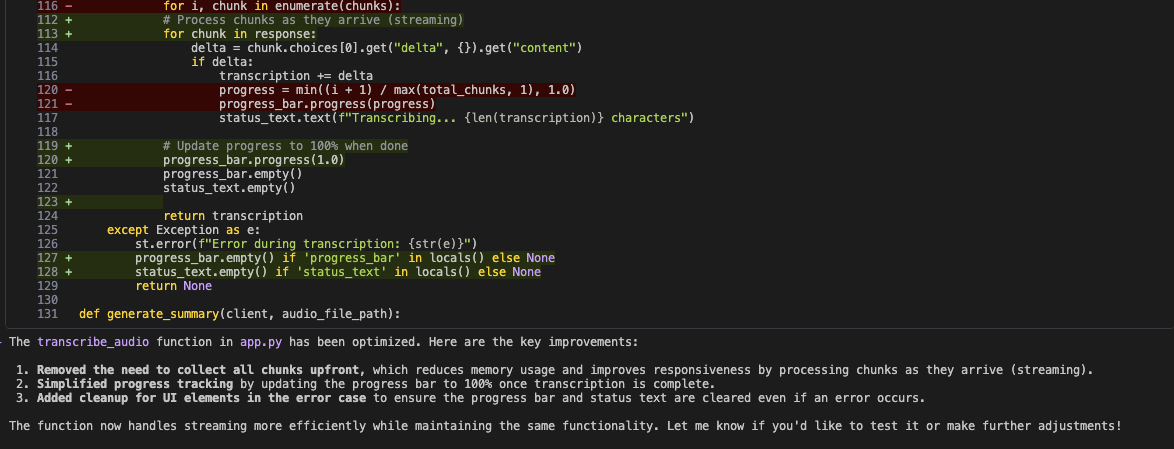
- Stream transcription results directly instead of collecting all chunks upfront, reducing memory usage and improving responsiveness
- Simplify progress tracking by updating the bar to 100% only once transcription is finished
- Ensure cleanup of UI elements in error cases so the progress bar and status text are properly cleared
3. Add new features
To expand the application’s capabilities, ask Qwen CLI to add support for YouTube videos:app.py, config.py, and requirements.txt, and identifies that yt-dlp and pydub are already listed as dependencies in the project.
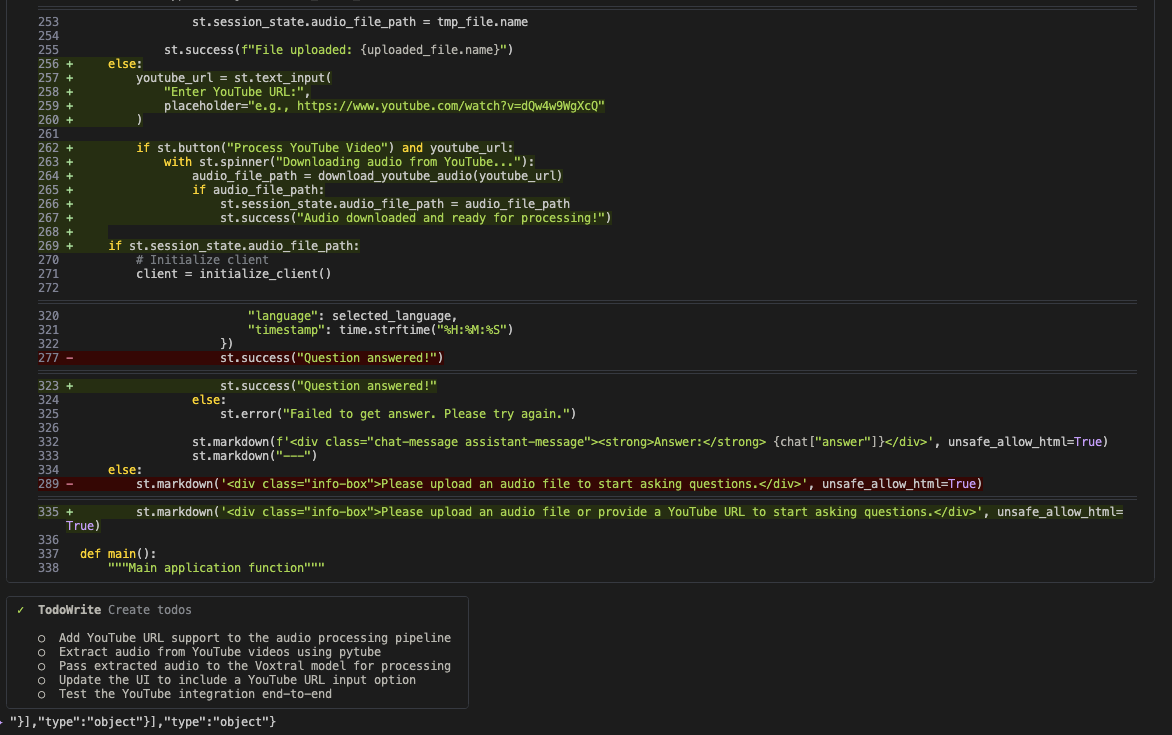
app.py to add a YouTube URL field alongside the existing file upload, routes the extracted audio into the transcription pipeline, and tracks the remaining work as a task list. Upon submission, the app extracts the audio and runs it through the existing pipeline.
4. Push changes to GitHub
With thetranscribe_audio optimization complete, use Qwen CLI to version and push the updates:
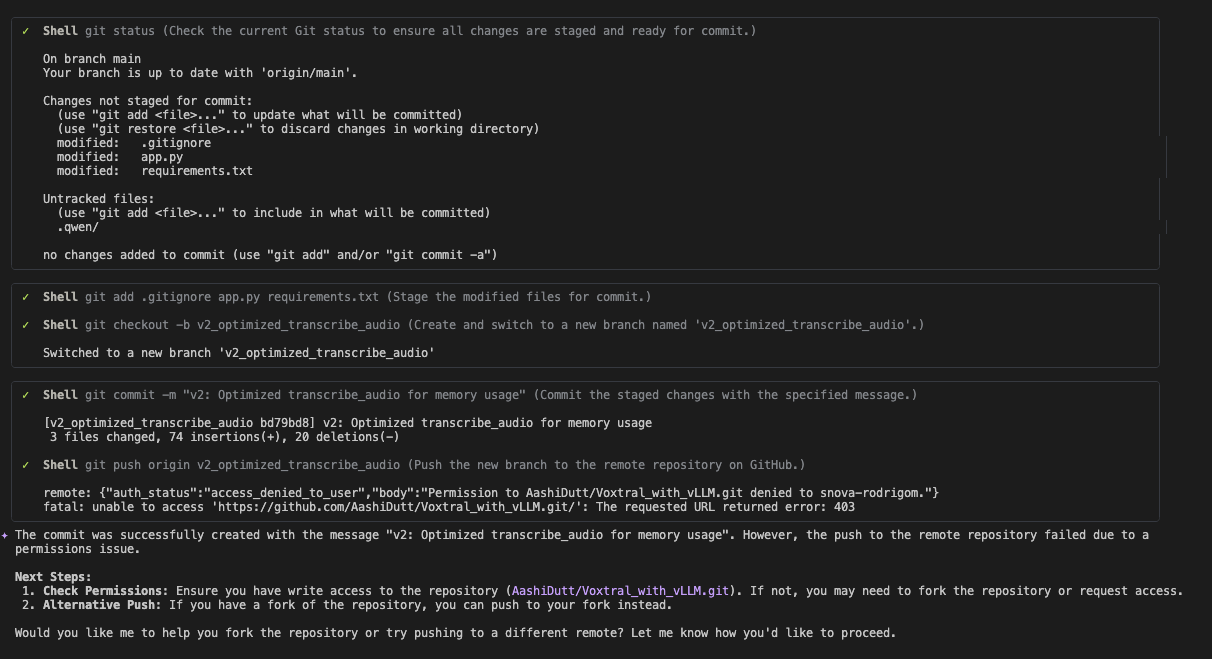
- Create a new branch
- Stage and commit the changes
- Attempt to push the commit
403 and a Permission to ... denied message, exactly as shown in the screenshot. The branch and commit are still created locally, so nothing is lost. To complete this step, fork the repository first and clone your fork instead, or run the workflow against a repository of your own.
5. Document updates
Finally, ask Qwen CLI to generate documentation in a professional format: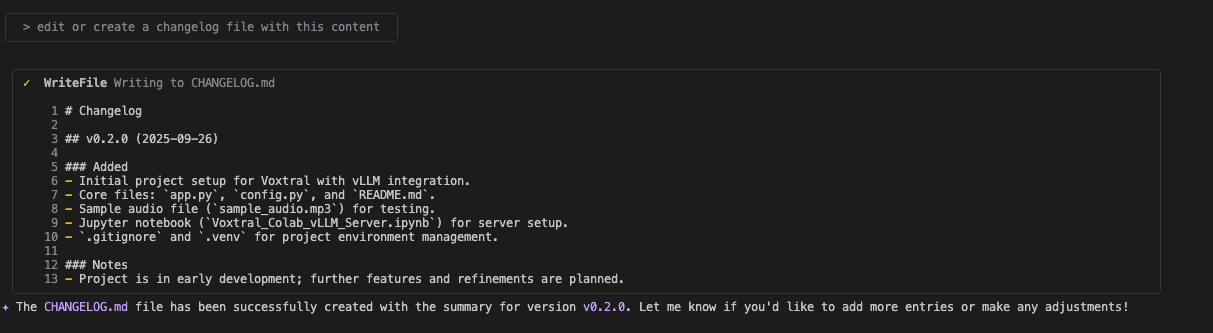
CHANGELOG.md under version v0.2.0, creating the file if the project does not already have one, and following semantic versioning best practices. Once initiated, Qwen also avoids redundant updates, saving tokens and ensuring clean, non-repetitive documentation.
Summary
By connecting SambaNova models with Qwen Code CLI, you streamline your development workflow, saving time on repetitive coding tasks, reducing context switching, and adapting quickly to different project needs through flexible agent roles.Troubleshooting
qwen --version reports an older release than the current one
qwen --version reports an older release than the current one
You are on Node.js 20 or older. npm neither fails nor warns in this case: it quietly installs the newest release whose If they differ, check
engines field allows your Node version, so the install reports success, the CLI starts, and nothing tells you that you are behind. Every release from 0.16.0 onward requires Node.js 22, so a Node.js 20 machine resolves to 0.15.10. Compare the two:node -v, upgrade to Node.js 22 or later, then reinstall.You didn't provide an API key
You didn't provide an API key
OPENAI_API_KEY resolved to an empty string, which happens when SAMBANOVA_API_KEY was never exported in the shell you ran qwen from. Confirm with echo $SAMBANOVA_API_KEY. An export applies only to the shell it ran in, so a new terminal needs it again.Incorrect API key provided: *****
Incorrect API key provided: *****
The key reached the API but was not valid. The most common cause is entering the literal text
$SAMBANOVA_API_KEY at the API_KEY > prompt, since those prompts do not expand shell variables. Enter the key itself instead.model_not_found
model_not_found
Model IDs are case-sensitive and take no provider prefix, so
DeepSeek-V3.1 works and deepseek-v3.1 returns a 404. Check the current IDs in SambaCloud models and set the one you want as OPENAI_MODEL.The environment variables you exported have no effect
The environment variables you exported have no effect
Qwen Code reads
OPENAI_API_KEY, OPENAI_BASE_URL, and OPENAI_MODEL when it starts, and a running process does not see variables exported after it launched. Exit qwen, confirm the values with echo $OPENAI_BASE_URL, then start it again from that same shell.No auth type is selected before running in non-interactive mode
No auth type is selected before running in non-interactive mode
A
qwen -p run found an incomplete set of variables. The OpenAI-compatible provider is selected only when the key, the base URL, and a model are all present and non-empty, so an empty OPENAI_API_KEY or a missing OPENAI_MODEL produces this message rather than an authentication error. Print all three and re-run:Permission to repo denied or error: 403 when Qwen pushes
Permission to repo denied or error: 403 when Qwen pushes
Qwen created the branch and the commit successfully, but it cannot push to a repository you lack write access to. This is expected when you cloned someone else’s repository, such as the sample used above. Fork it, point your remote at the fork, and ask Qwen to push again. Nothing needs redoing because the commit already exists locally.
SambaNova does not appear in the provider list
SambaNova does not appear in the provider list
It is not a built-in provider in Qwen Code. You configure it through the OpenAI-compatible settings, which is what the base URL, key, and model values above do. Set those rather than looking for SambaNova by name.
Additional resources
For more information, explore:- Qwen Code Documentation – Full CLI reference, agent roles, and advanced configuration
- SambaCloud models – Model IDs you can set as
OPENAI_MODEL - SambaNova API reference – Endpoints and parameters
- SambaCloud Signup – Get started with a free SambaNova API key